

What is Alipay?
Alipay is China's leading third-party digital payment platform, founded by Alibaba Group. It integrates multiple functions such as payment, money transfer, wealth management, and lifestyle services, and has become an indispensable tool in daily life in China. Whether it's large shopping malls, street shops, restaurants, tourist attractions, public transportation, or food delivery, Alipay covers almost all consumption scenarios, providing tourists with a seamless and efficient payment experience.

Benefits of Using Alipay When Traveling in China:
Convenience of Cashless Travel:
China is rapidly entering a "cashless society." Carrying cash is not only inconvenient but can also lead to difficulties in obtaining change and security concerns. Alipay allows you to easily complete various transactions using only your mobile phone.
2. Wide Range of Applications:
From shopping, dining, and hotel bookings to subways, buses, and shared bicycles, almost all consumer venues support Alipay. For tourists, this means a smoother travel experience.
3. Safe and Reliable Payment Environment:
Alipay employs multi-layered security protection, including payment passwords, fingerprint recognition, facial verification, and real-time risk monitoring, to ensure the safety of your account and funds.
4. No Local Mobile Number Required:
Alipay supports registration with international mobile phone numbers and real-name authentication via passport, allowing foreign tourists to use it normally even without a Chinese SIM card.
5. Transparent Exchange Rates and Low Fees:
After linking an international credit or debit card, payments are settled at the real-time exchange rate, with transparent fees. Daily consumption usually has no additional fees; cross-border transactions may involve minor bank or network fees.
How to register and set up Alipay (international version)
Step 1: Download the app
Search for “Alipay” in your phone's App Store or Google Play.

Step 2: Register an Account
If you have already downloaded the Alipay APP, please follow these steps:
Open Alipay, select "Sign Up" and use your international mobile phone number (registration is also possible without verifying your Chinese mobile phone number).
Enter the received verification code to complete the initial registration.
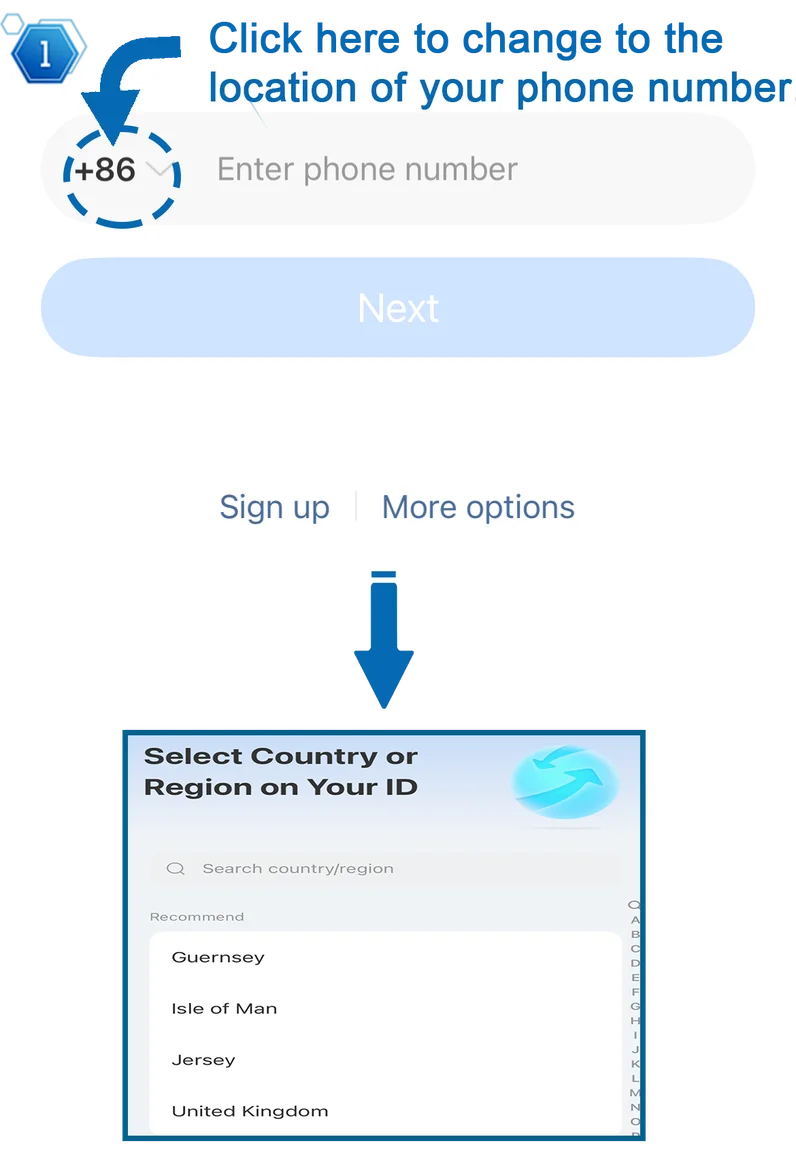
Step 3: Switch to the International Version
(Note: If you're not used to the standard Alipay interface and prefer a simpler look, you can choose to perform this step.)
Go to "Me" in the bottom right corner → "Settings".
Find "Switch Version" and confirm the switch. The interface will then change to "International".
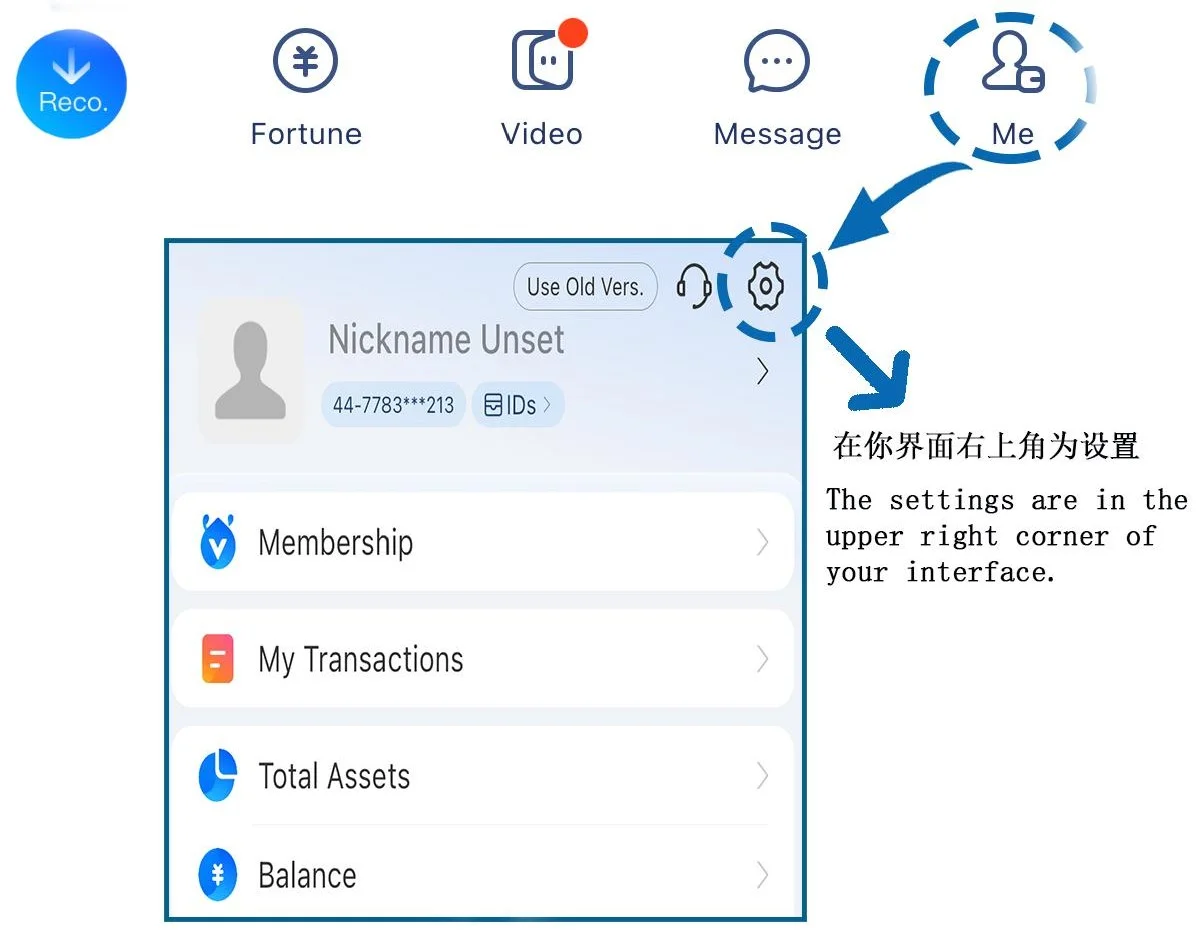
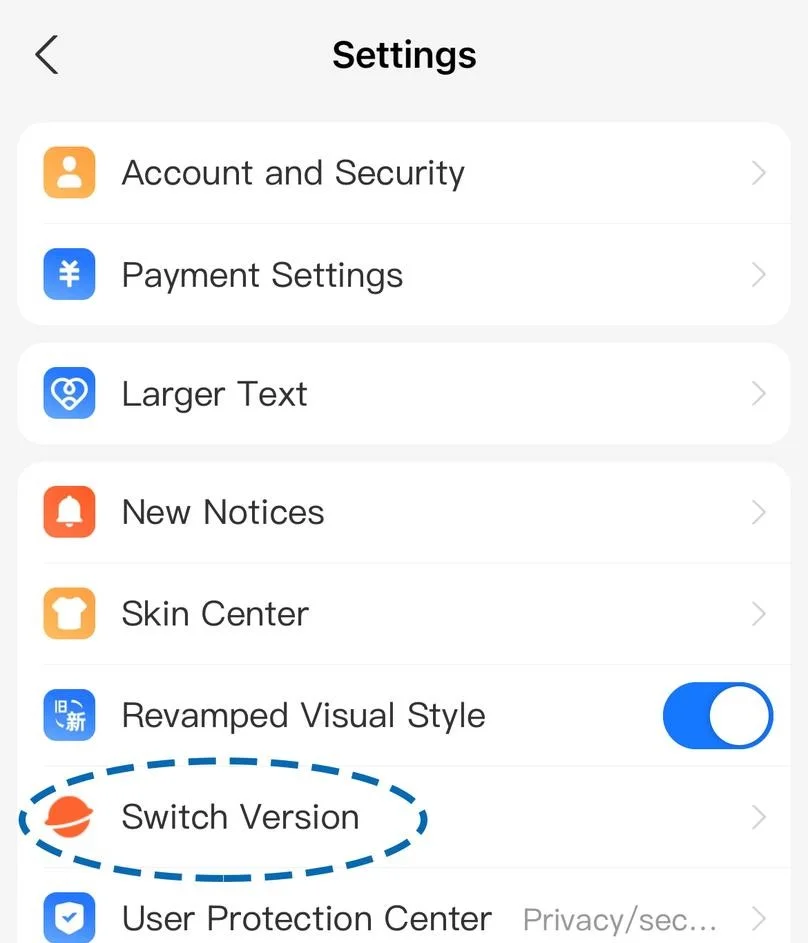
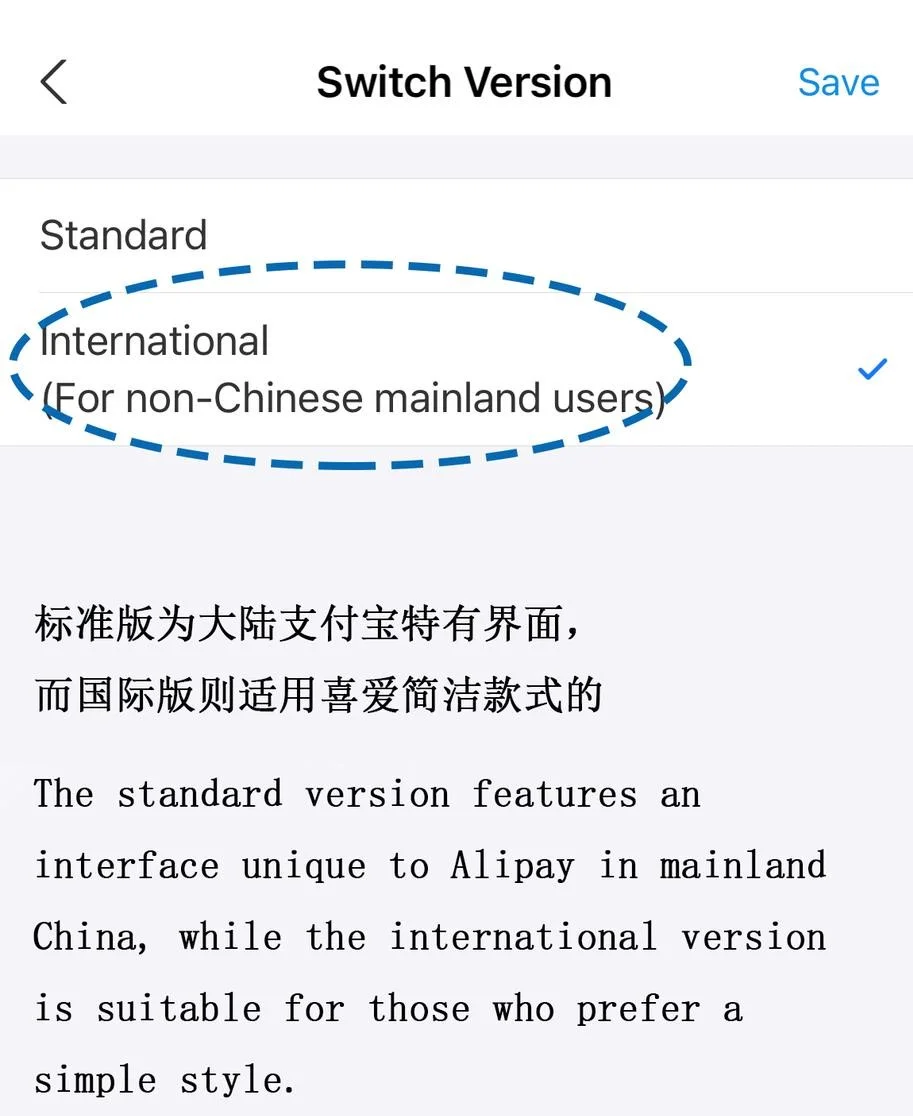
Step 4: Real-Name Authentication
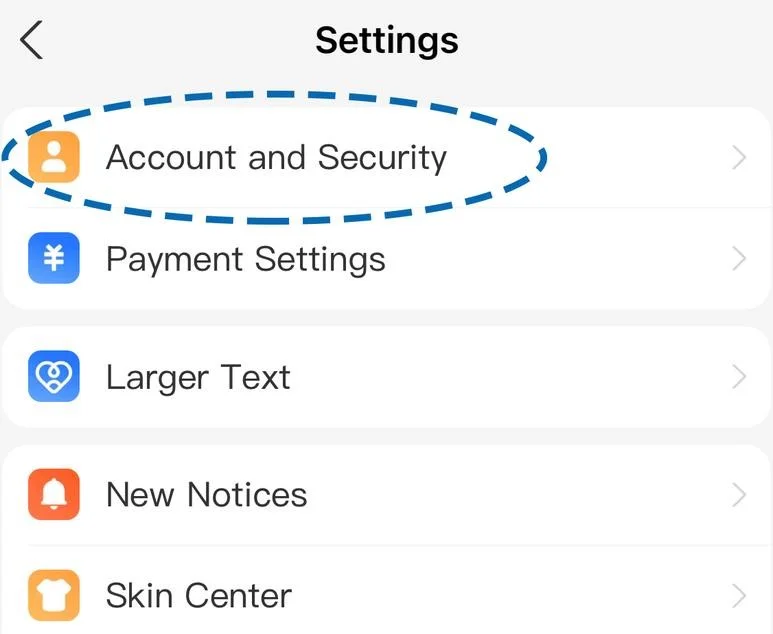
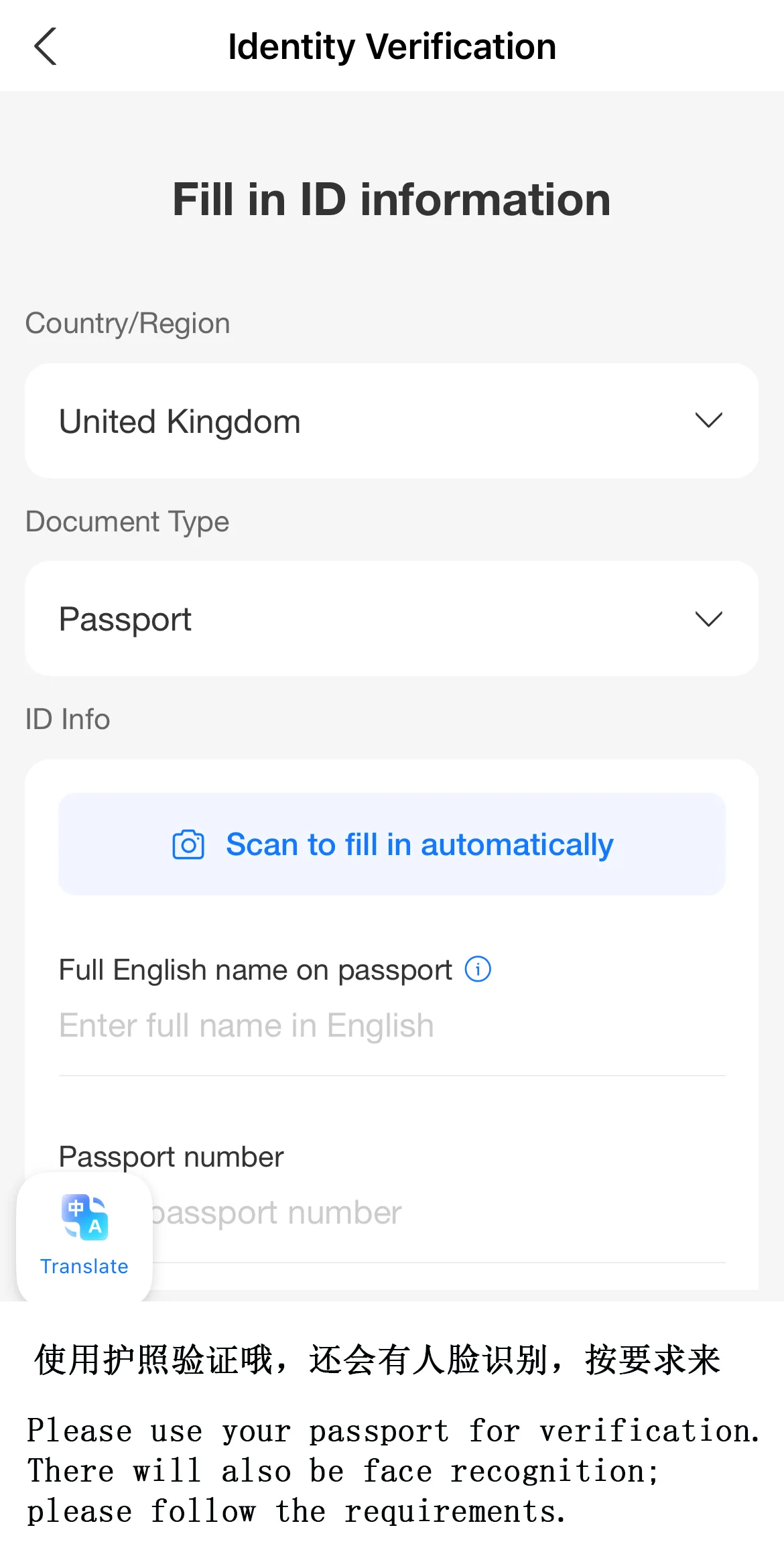
Go to “Me” → “Settings” → “Account & Security” → “Identity Verification”.
Select “Passport”, upload a photo of your passport page as instructed, and complete facial recognition verification.
After completing the authentication, you will be able to obtain a higher transaction limit and unlock full payment functionality.
Step 5: Link Your International Bank Card
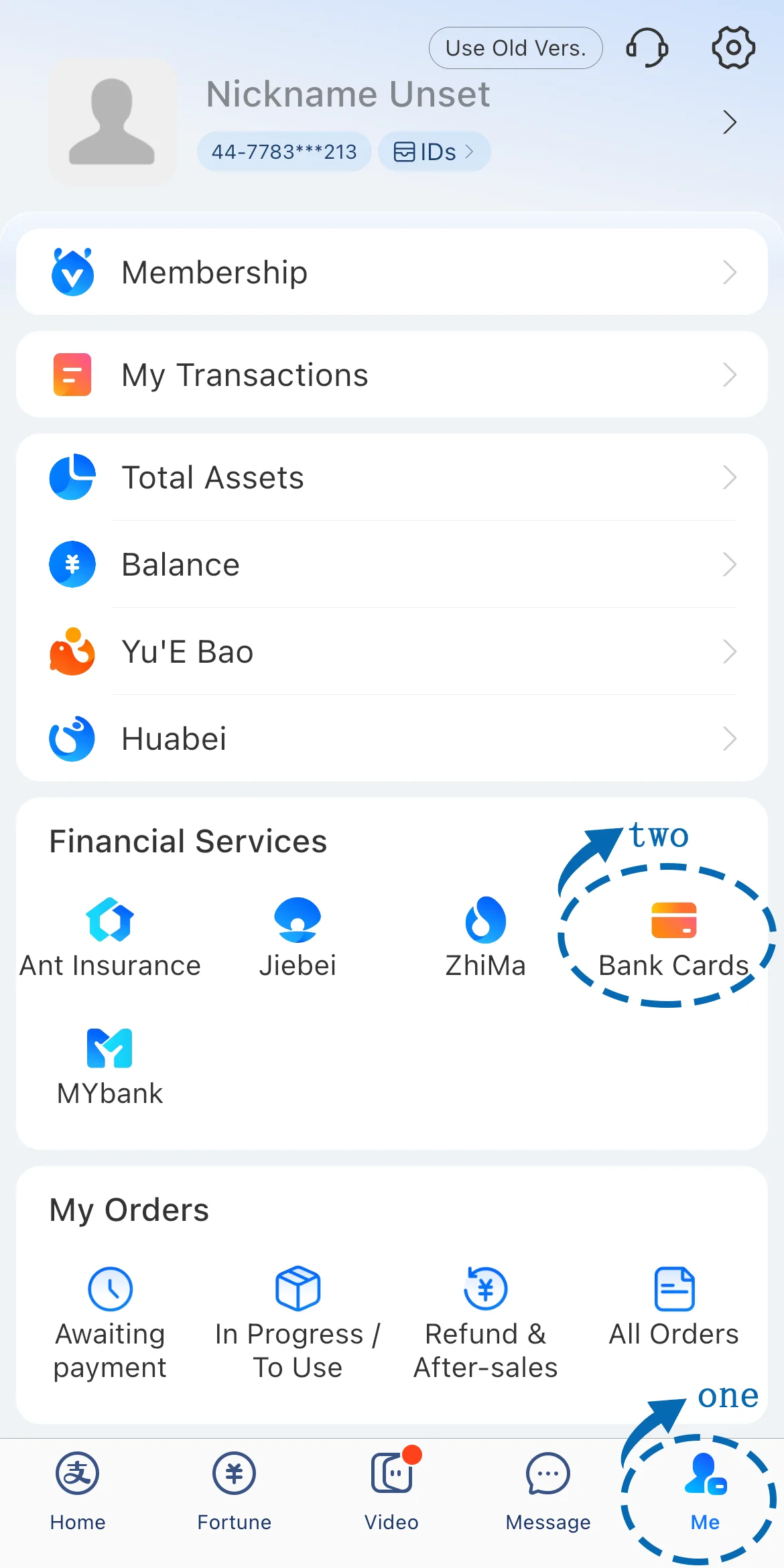
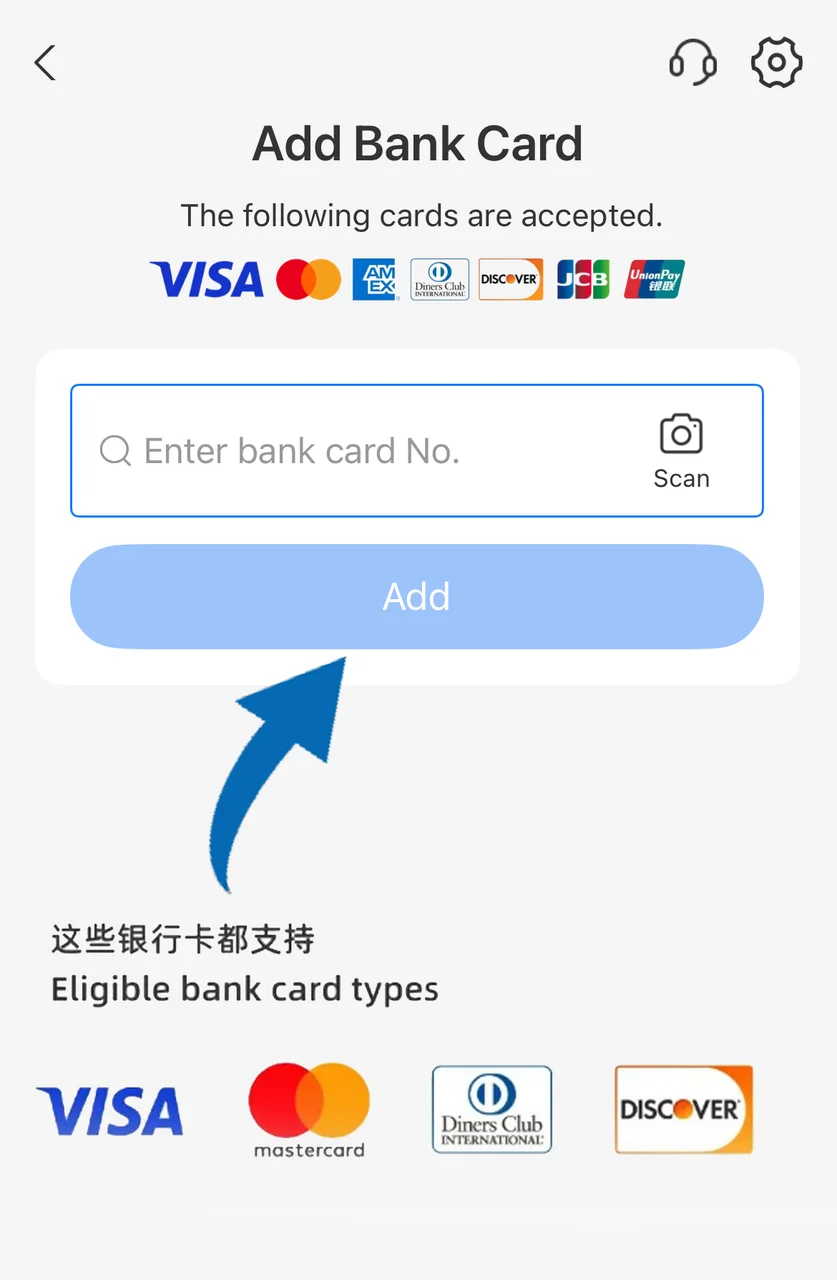
Click “Me” → “Bank Cards” → “Add Card”.
Supports major international card types such as Visa, Mastercard, JCB, Discover, and Diners Club.
Complete the bank verification as prompted (e.g., SMS verification code).
After linking, you can directly pay with the card or top up your account balance (some users can choose to use the TourPass prepaid service).
Tips for using Alipay in China
I. Shopping Payments
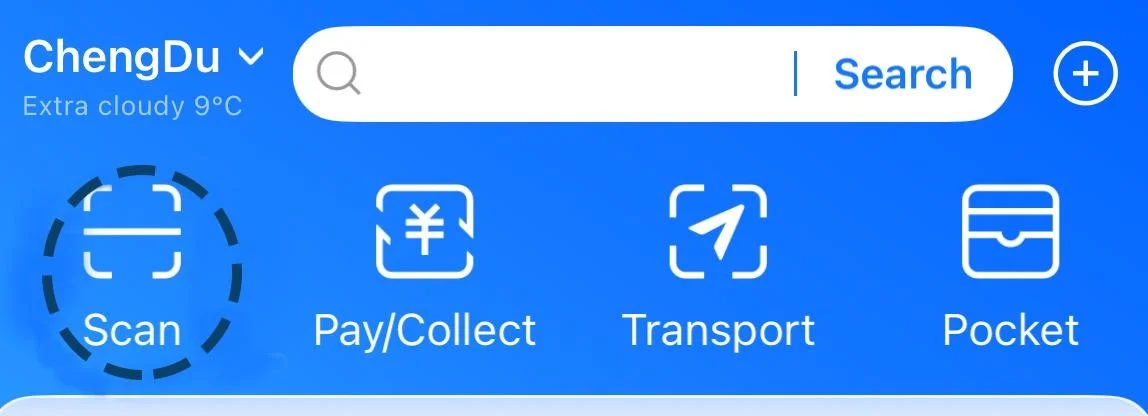
Scan to Pay: Open Alipay, click "Scan," scan the merchant's QR code → enter the amount → confirm payment.
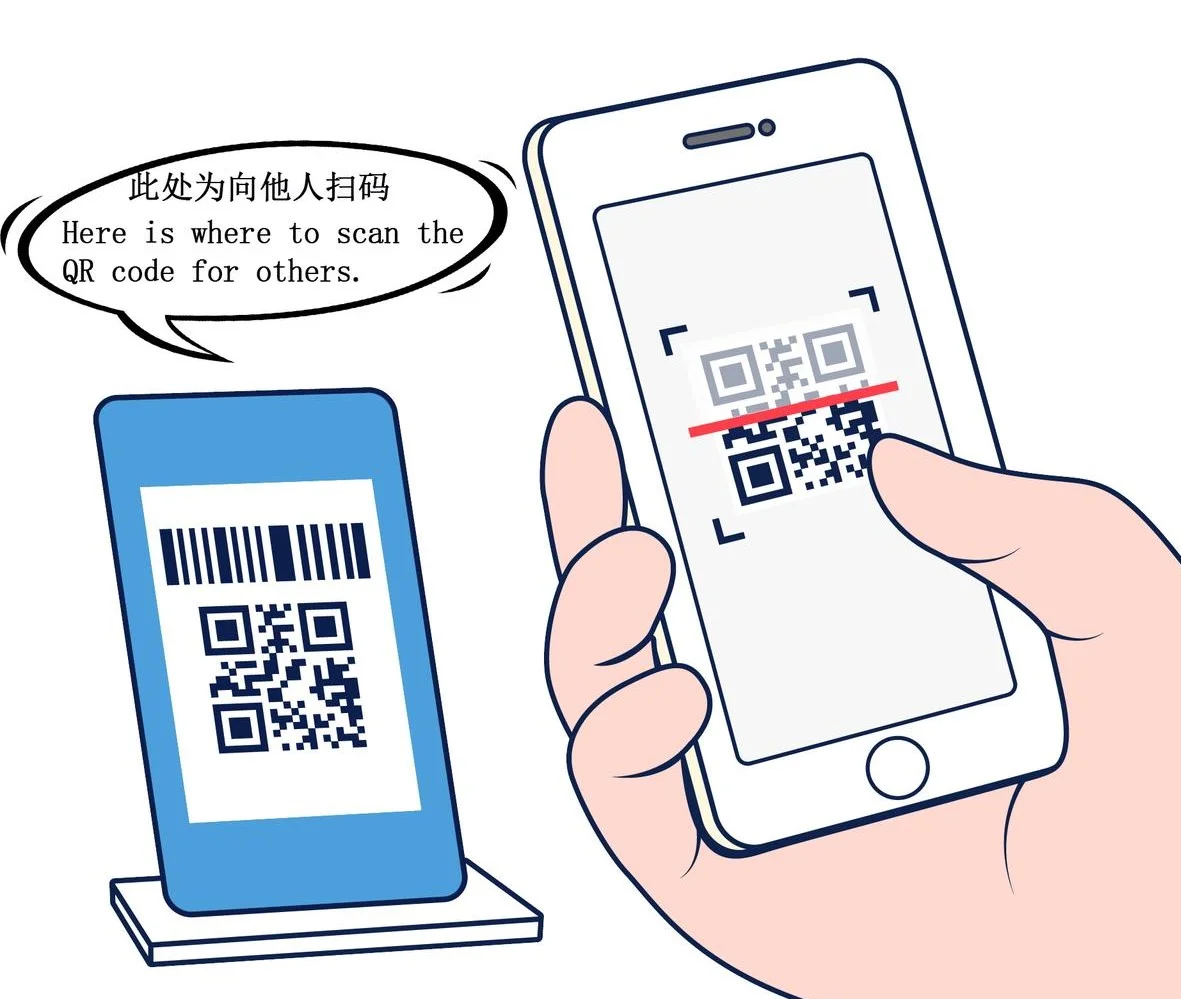
-Payment via QR code: Click "Pay" and show your personal payment code for the merchant to scan.
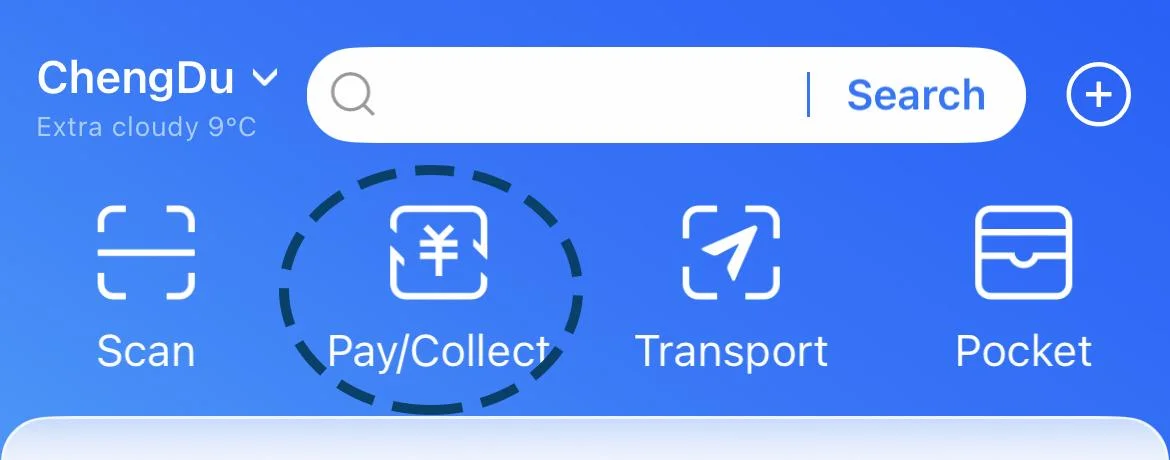

II. Taking Public Transportation
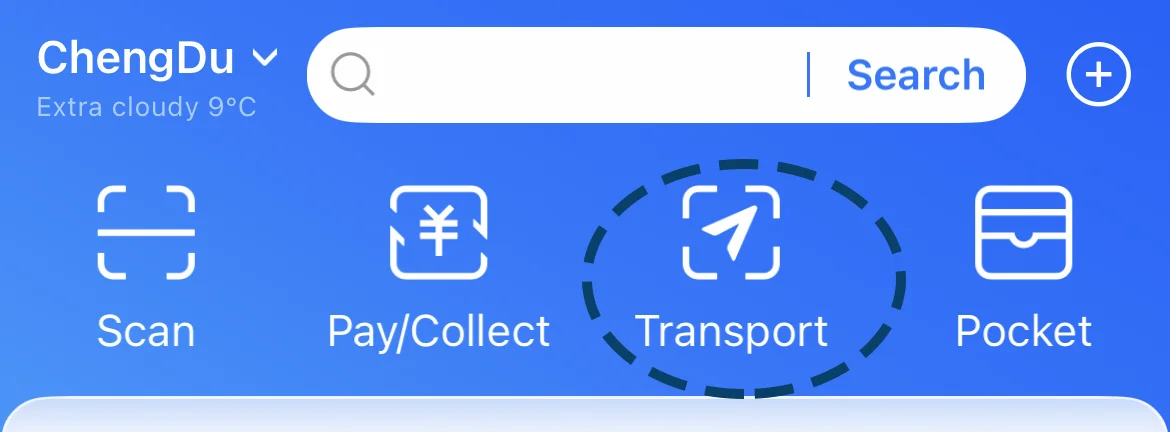
Select Transport on the homepage
Add your city's transportation card (e.g., Shanghai Metro, Beijing Bus)
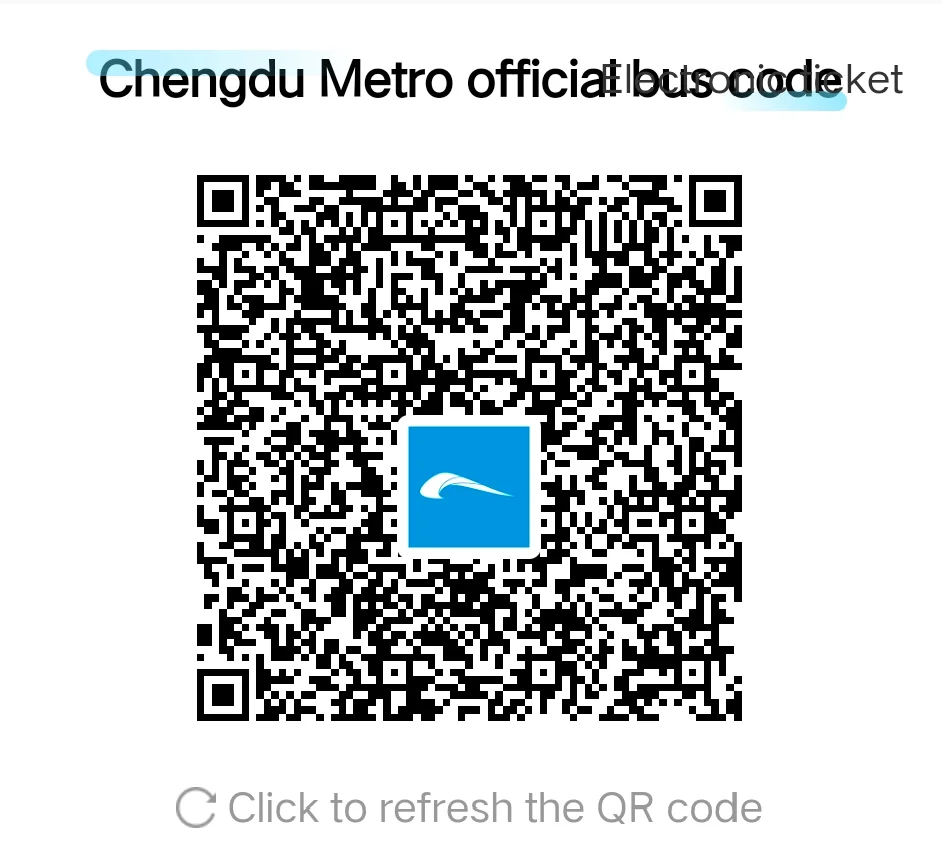
Scan the code to enter and exit the station; fare will be automatically deducted.
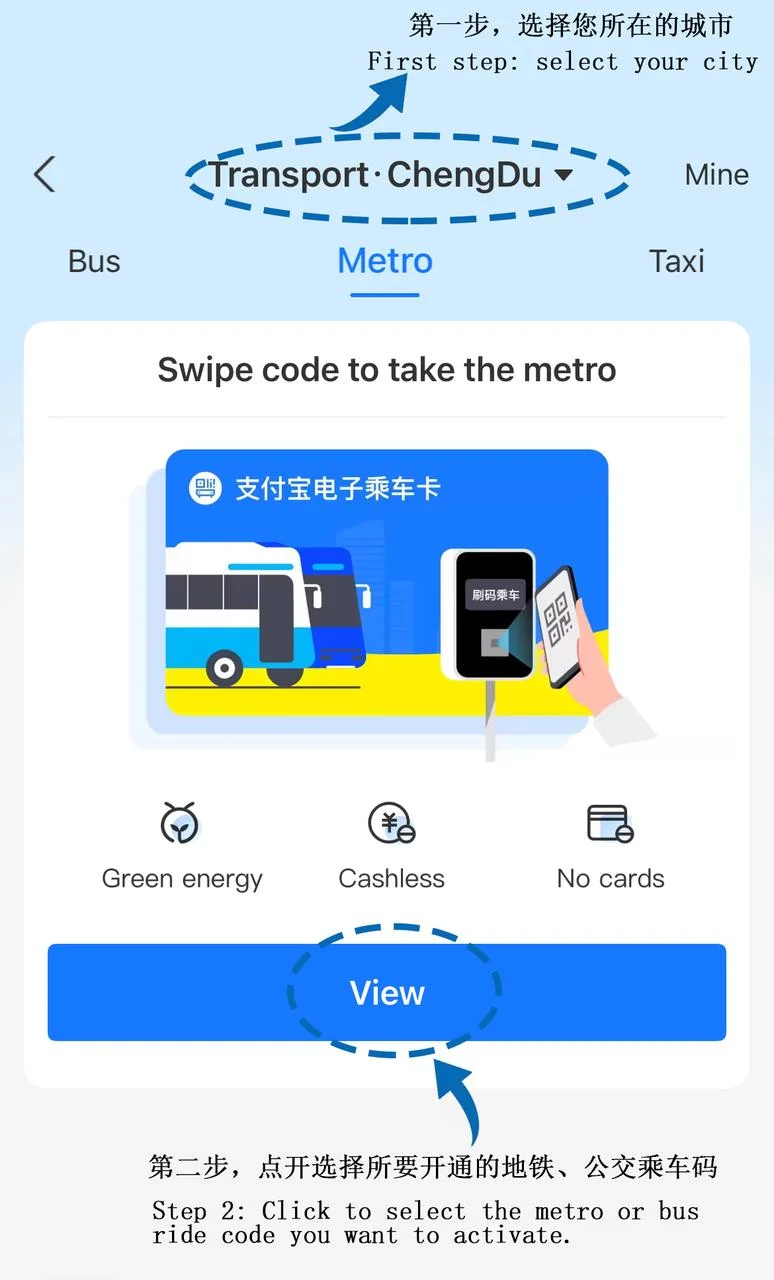
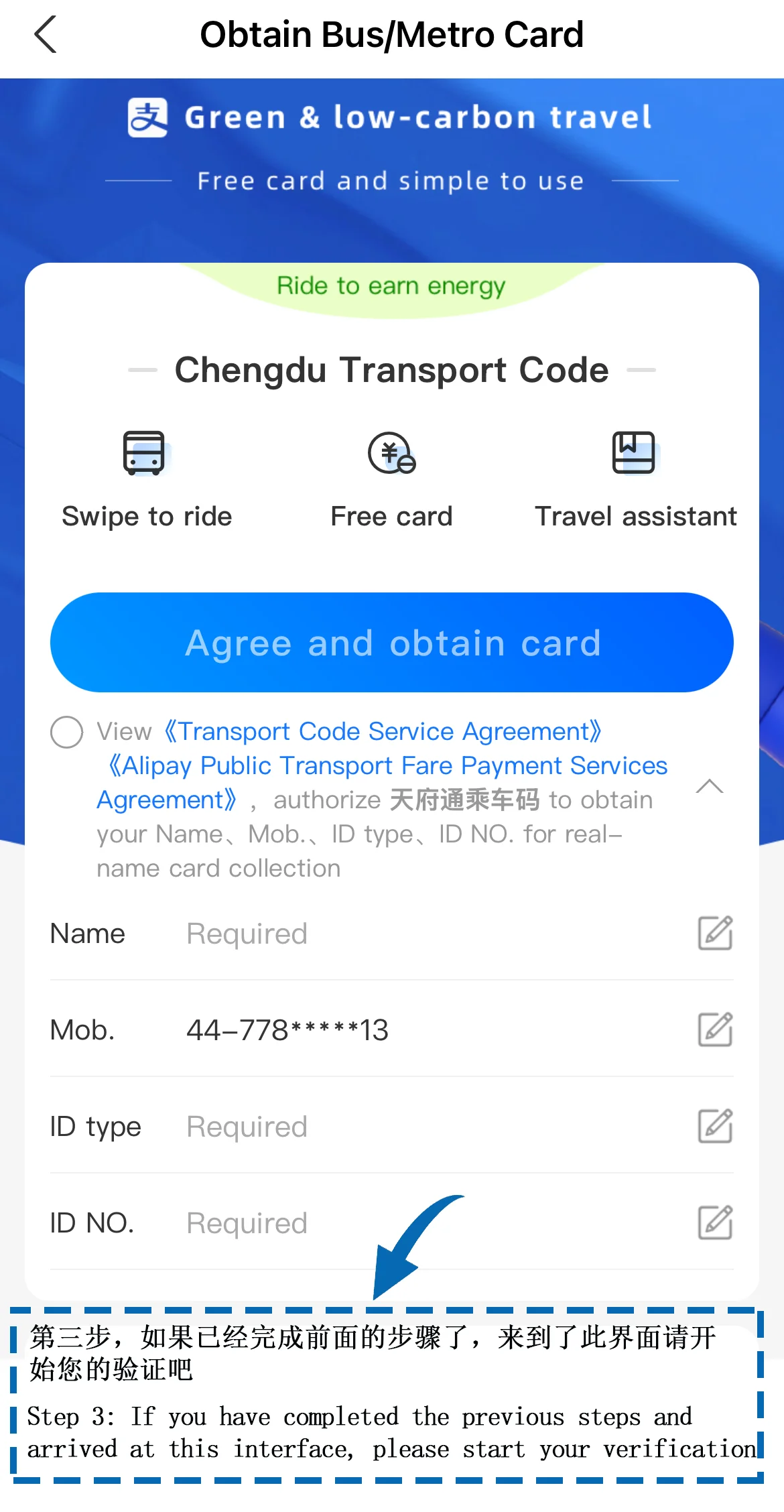
This type of interface will be displayed after successful activation.
III. Ordering Food and Delivery
Scan the QR code on the table to order and pay directly. After entering the restaurant's menu page, select your dishes and click "Confirm Order" (for on-site ordering).
Alternatively, order food through Alipay's Delivery section, or select your preferred delivery platform (such as Ele.me or Meituan Waimai) in the search bar.
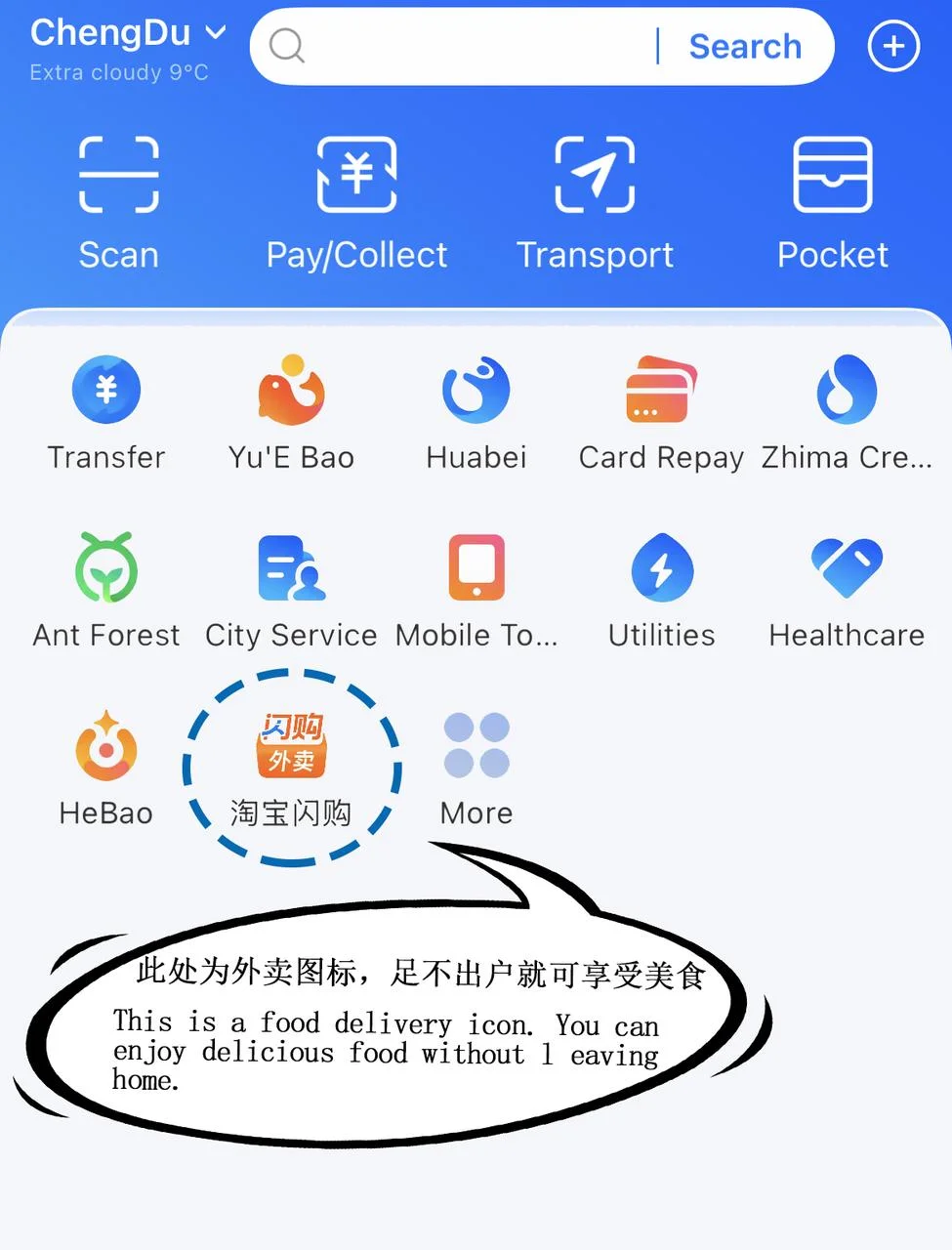
The steps for ordering by scanning the code are the same as for shopping and payment.
On food delivery platforms, you can browse the menus and dishes of various restaurants and choose the food you want.
After confirming your order, click "Checkout," select Alipay as your payment method, and then enter your payment password to complete the payment. (Please make sure to select the correct and accurate address for your location.)
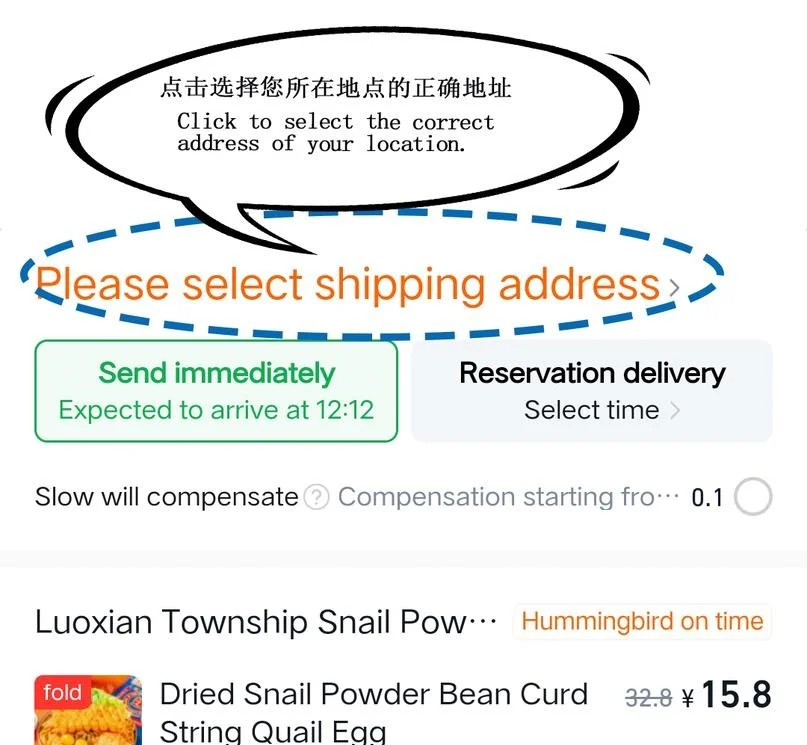
Alipay offers multiple payment methods (payment password, fingerprint recognition, facial recognition) to make the payment process more convenient.)
IV. Booking Accommodation, Tickets, and Rides
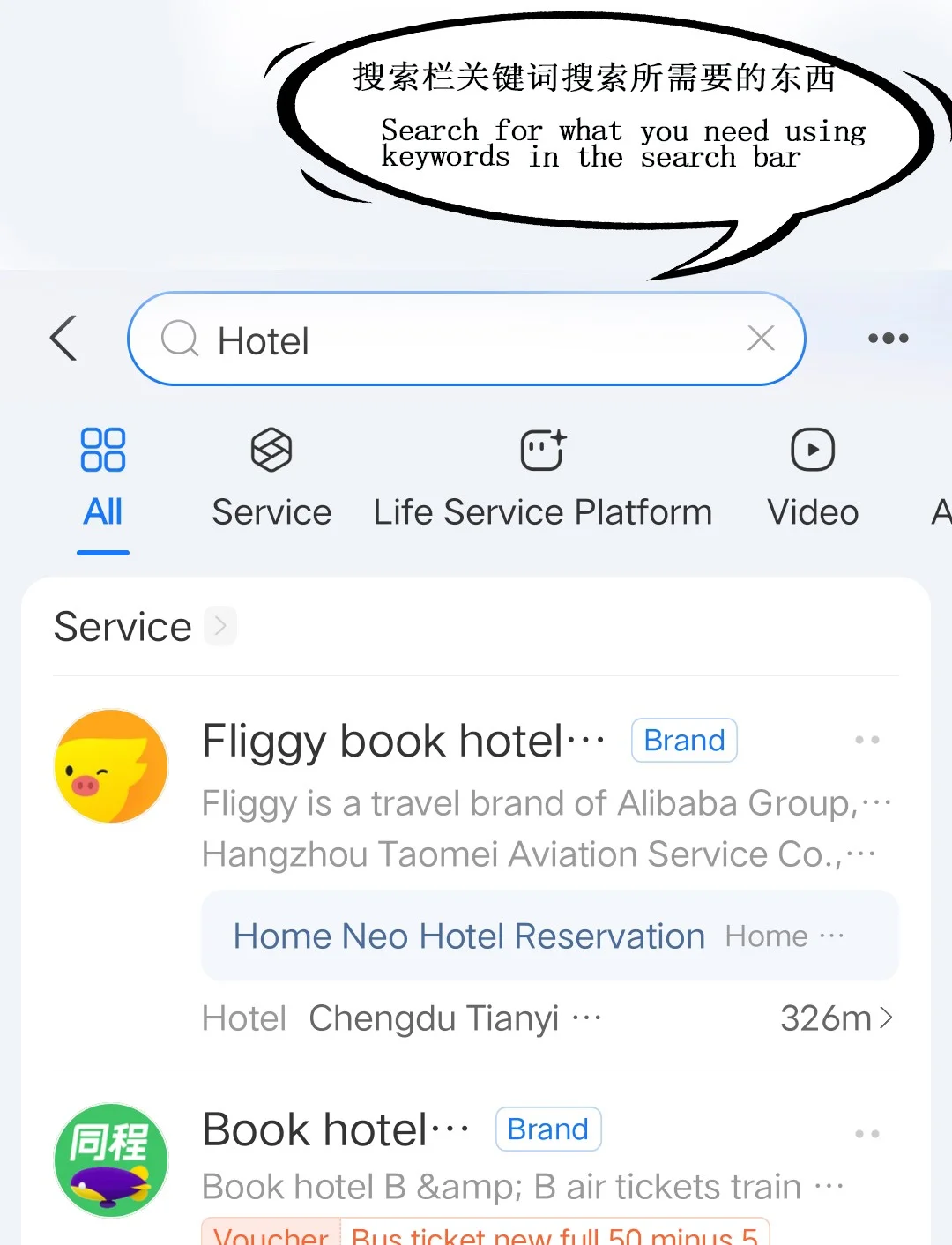
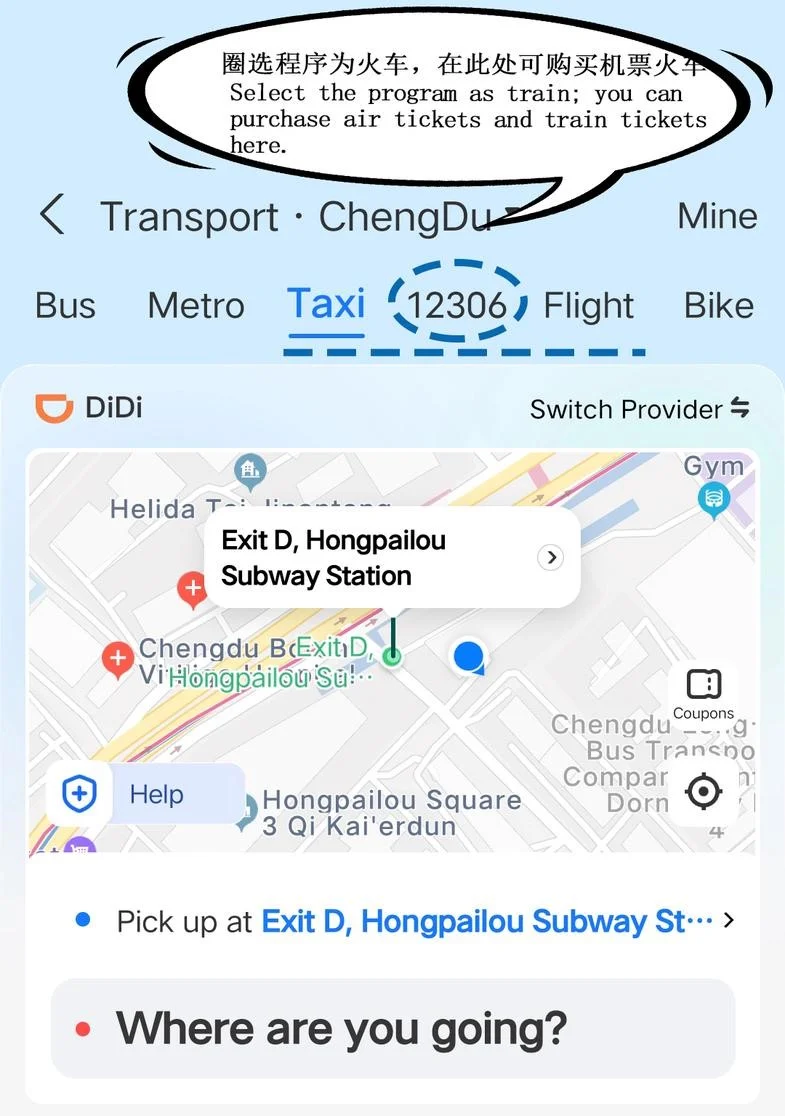
Book via Alipay's built-in mini-program (enter relevant keywords in the search box) or partner platforms (such as Trip.com, Fliggy), or access the desired program through the "Travel" icon.
Supports one-stop purchase of air tickets, train tickets, hotels, and attraction tickets.
V. Important Reminders
It is recommended to complete registration and authentication before departure to avoid network issues affecting operations upon arrival.
Small payments may not require a password; it is recommended to enable fingerprint/facial recognition payment for enhanced security.
If you encounter payment problems, please check your network connection, card balance, and confirm that you have completed real-name authentication.
Alipay does not charge daily payment transaction fees, but cross-border currency conversion may include bank fees.
Limits of 5,000 yen per transaction, 10,000 yen per day, and 50,000 yen per month.
VI. Frequently Asked Questions
Q: Do I need a Chinese mobile phone number?
A: No. An international mobile phone number is sufficient for registration and use.
Q: Which is better to use, Alipay or WeChat Pay?
A: Alipay is more user-friendly for international tourists, supporting an English interface, passport verification, and smoother international card binding.
Q: Is the interface in Chinese?
A: Go to "My" > "Settings" > "General" > "Language," switch to English, and then restart the app.
Q: Can I transfer money to a friend?
A: Yes, but both parties need to complete real-name authentication.
VII. Pre-trip Preparation Checklist
Download the Alipay App
Register using an international mobile number
Switch to the international version interface
Complete passport verification
Link an international credit/debit card
Keep a small amount of cash on hand (in case of emergencies)
Disclaimer: This information is provided for reference only and was last updated on . Requirements and regulations may change. Always verify with official sources before making travel plans.