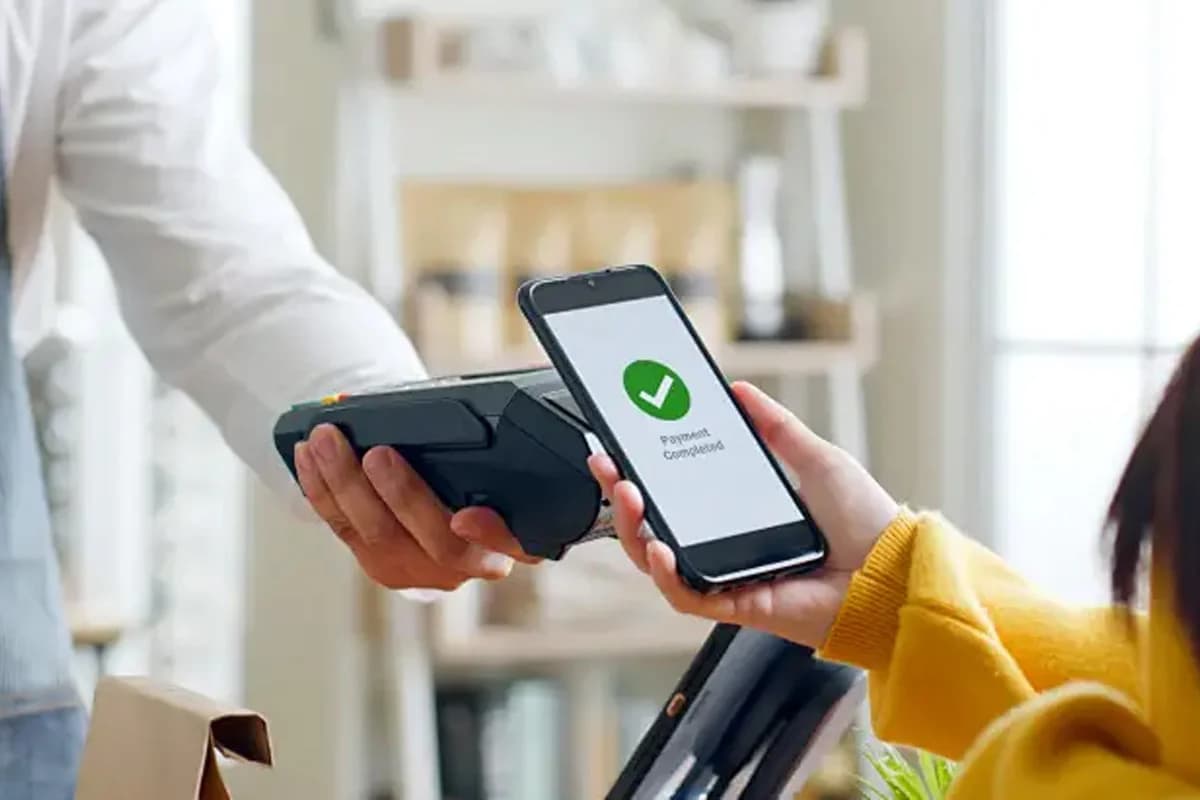

For foreign tourists visiting China, WeChat is more than just a communication app; it's a digital key to unlocking a convenient journey through China. Integrating communication, payment, and lifestyle services, it's an indispensable tool for travelers.
What is WeChat?
WeChat is a multi-functional application developed by Tencent, boasting over one billion monthly active users. Initially an instant messaging software, it has evolved into an ecosystem encompassing the following features:
Social Chat: Text, voice, video calls, and group chats.
WeChat Pay: Seamless mobile payment functionality, covering the vast majority of merchants in China.
Mini Programs: Lightweight applications that can be used without downloading, covering various services such as dining, shopping, transportation, and translation.
Official Accounts: Access business information, travel guides, and news.
City Services: Provides services such as subway QR codes, bus QR codes, ride-hailing, and reservations.
For tourists, WeChat is an efficient tool for "one application for everything."

Registration and Usage Guide for Foreign Tourists
Step 1: Preparation and Download (WeChat International Version)
Ensure your mobile phone can receive international SMS messages.
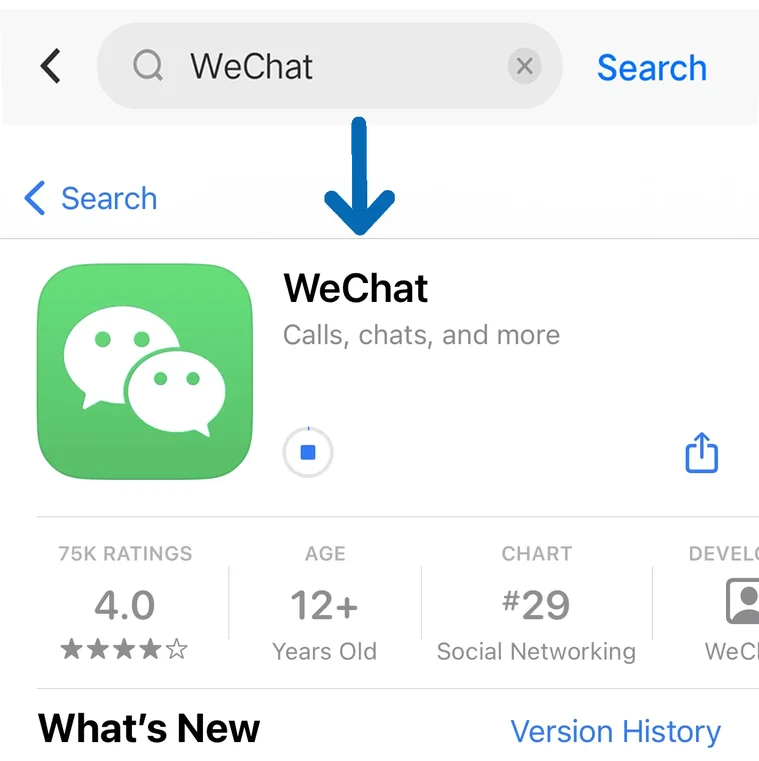
Search for "WeChat" in the App Store or Google Play to download the app.
If you already have a WeChat account, you can log in directly.
Step 2: Simplified Registration Process
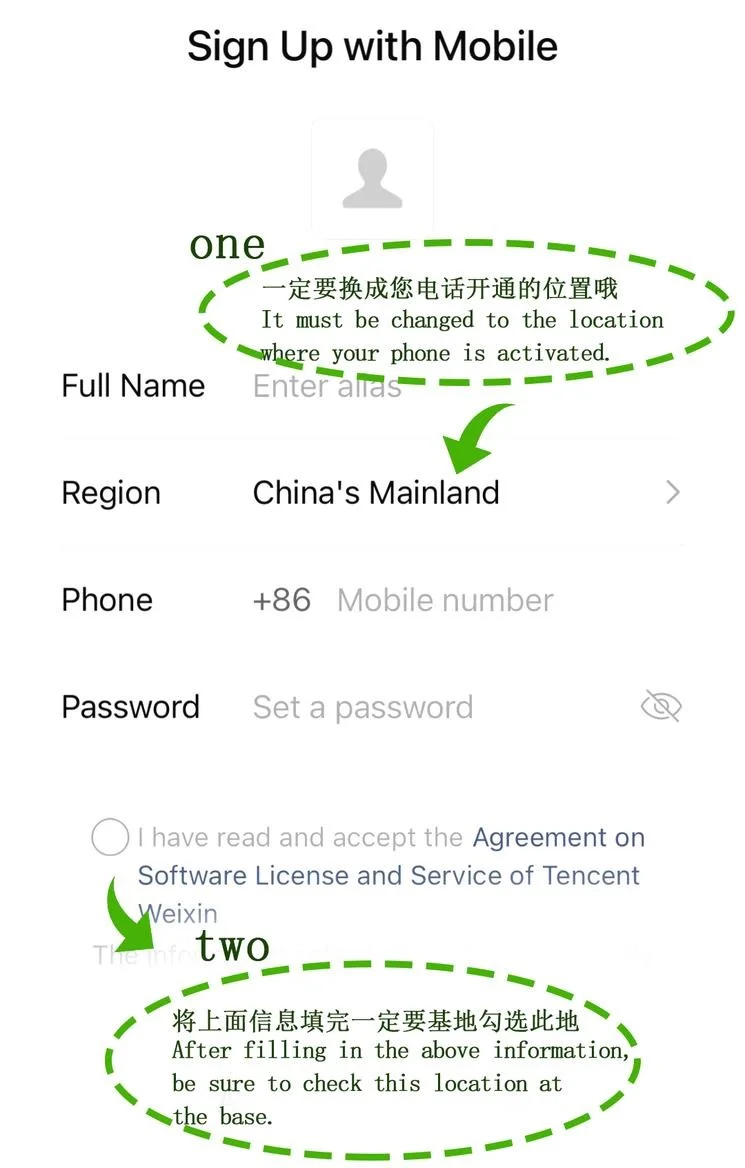
Open WeChat and select "Register"
Enter your international mobile number (e.g., a number starting with +1, +44, +61, etc.)
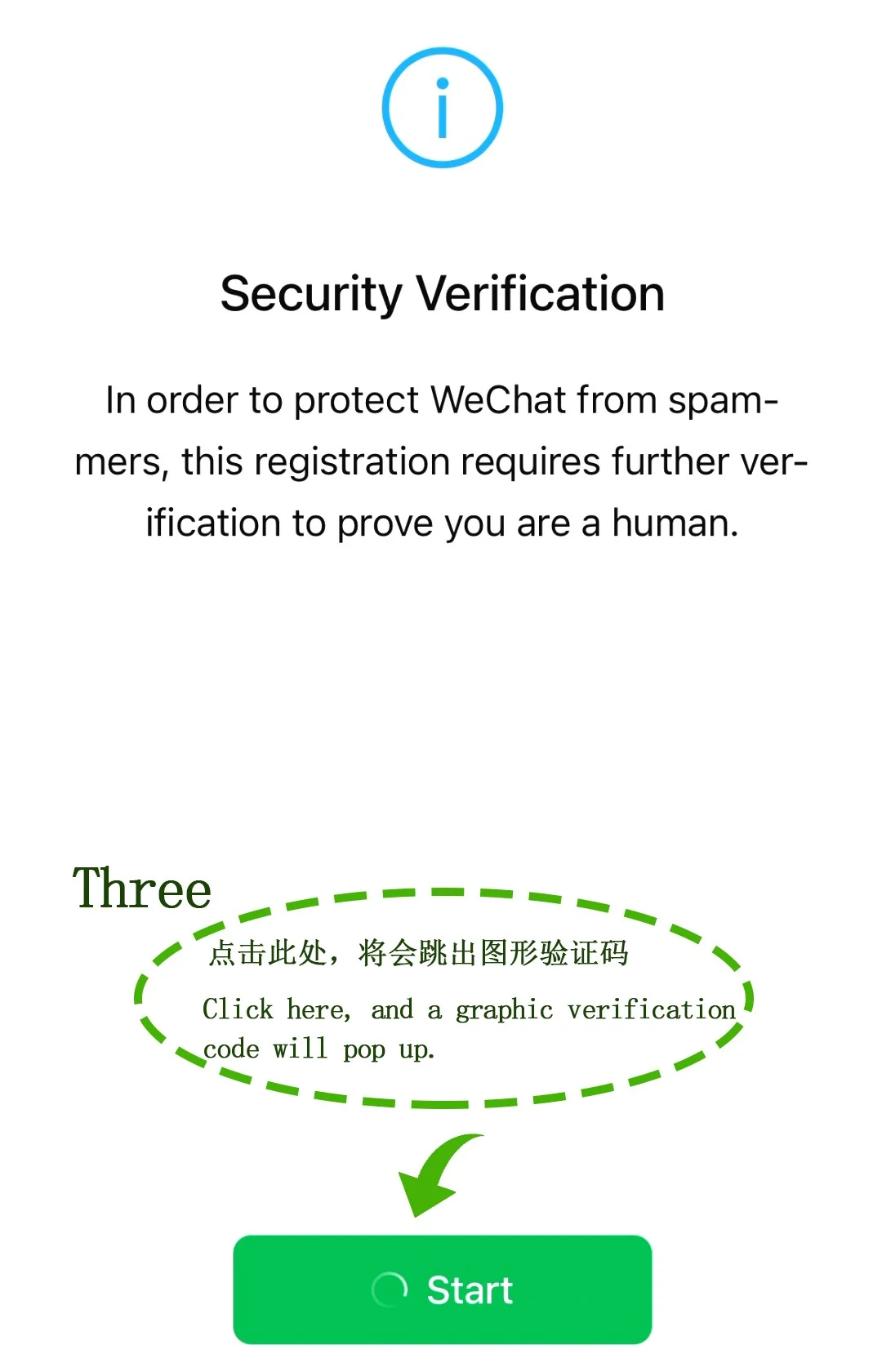
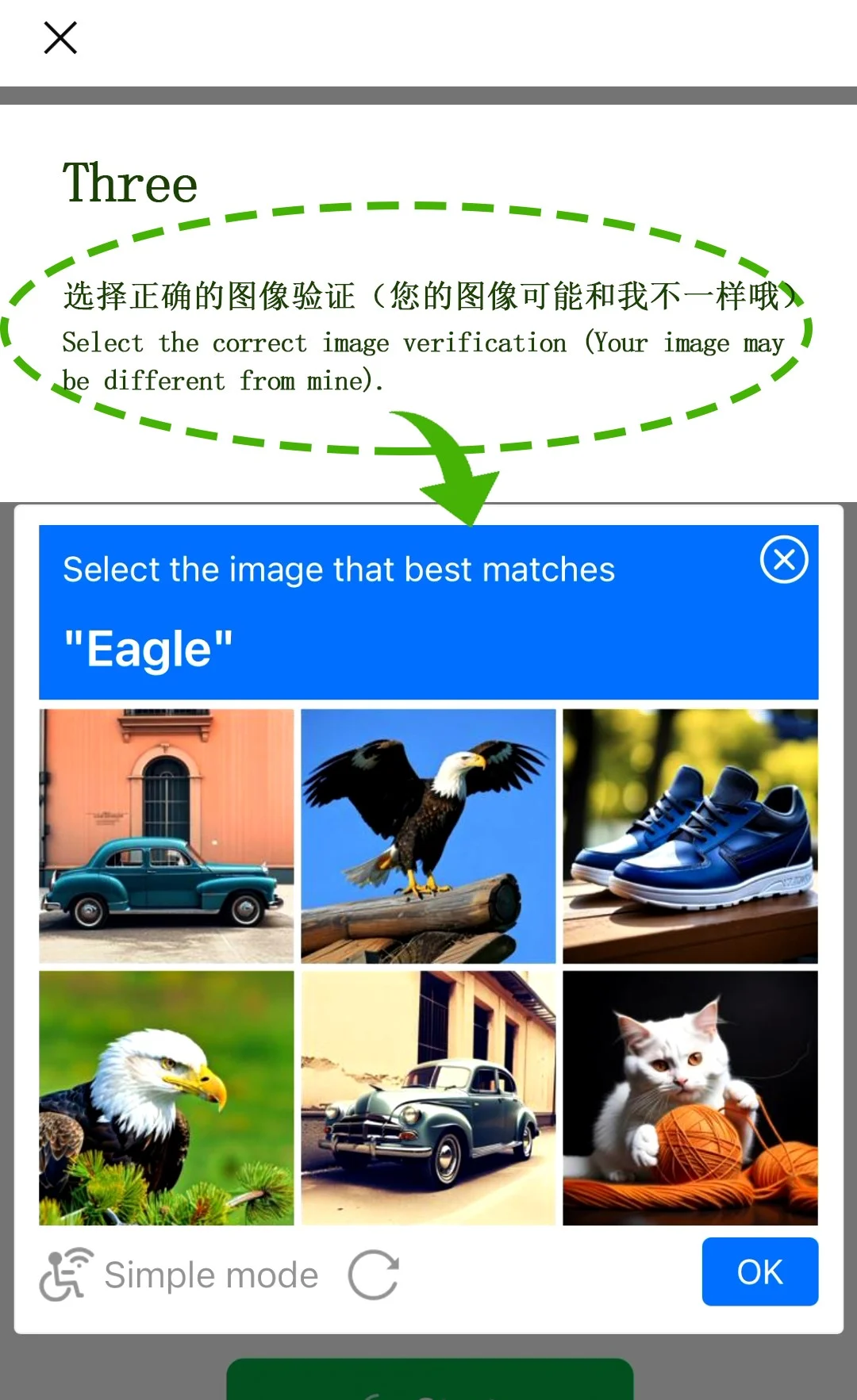
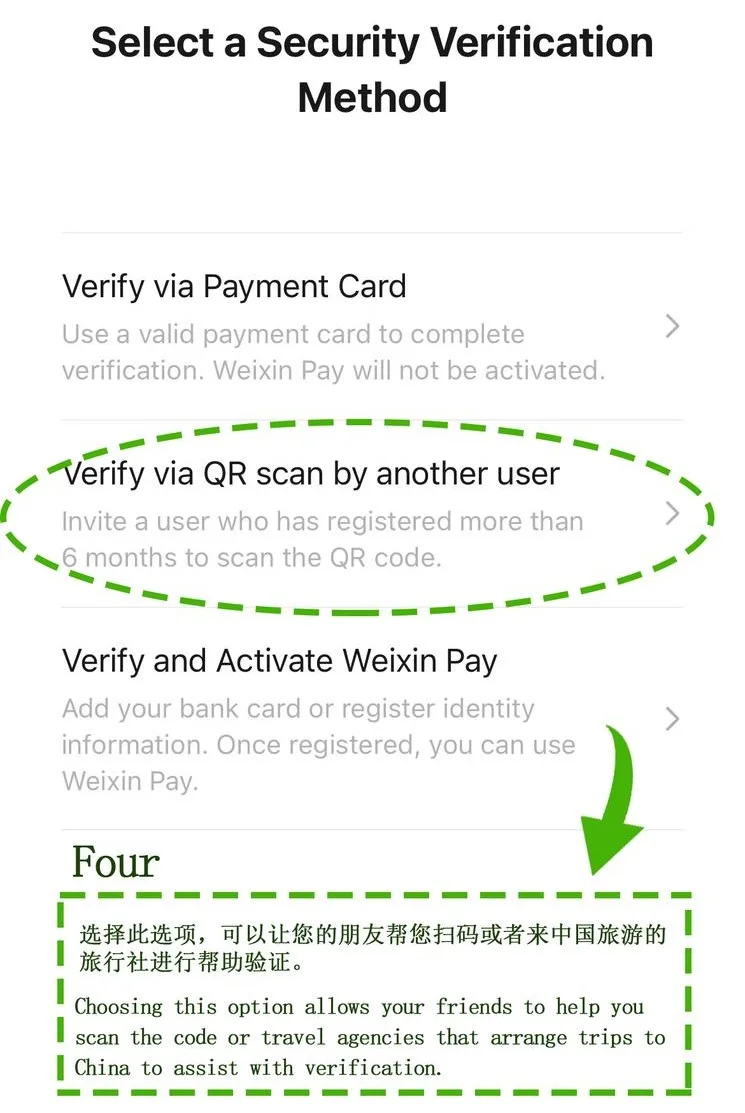
Verify and set up (requires image verification and a "Chinese guarantor" to scan the QR code for verification).
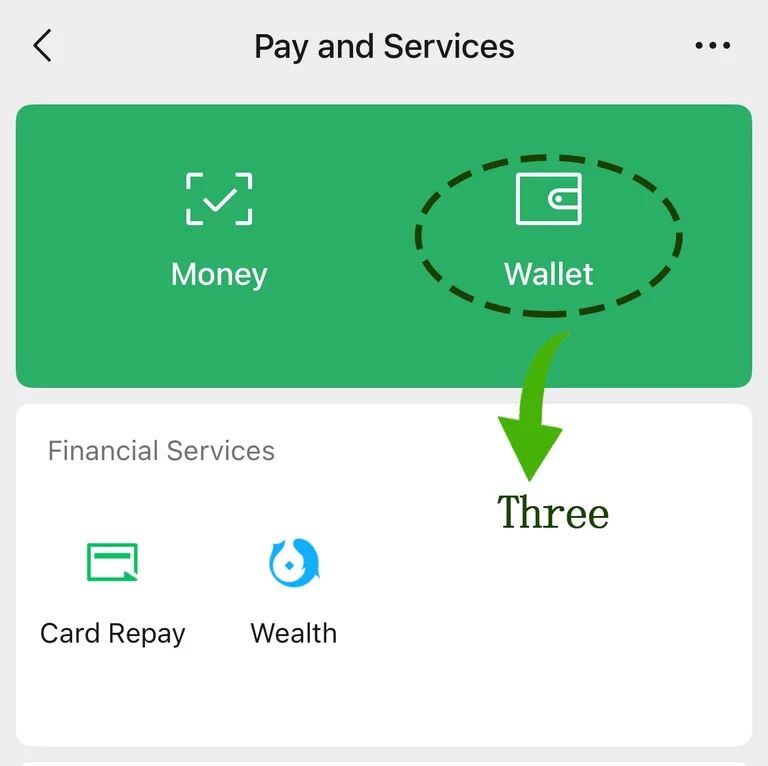
Step 3: Enable Payment Functionality (Crucial Step)
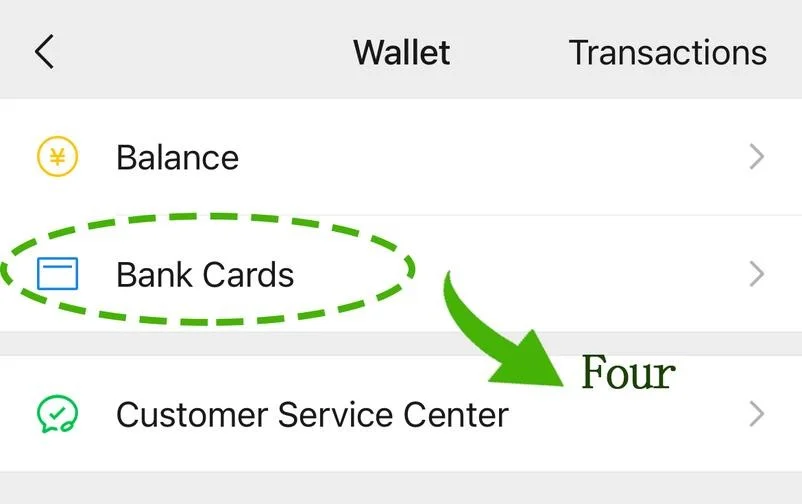
After completing registration, follow these steps in order:
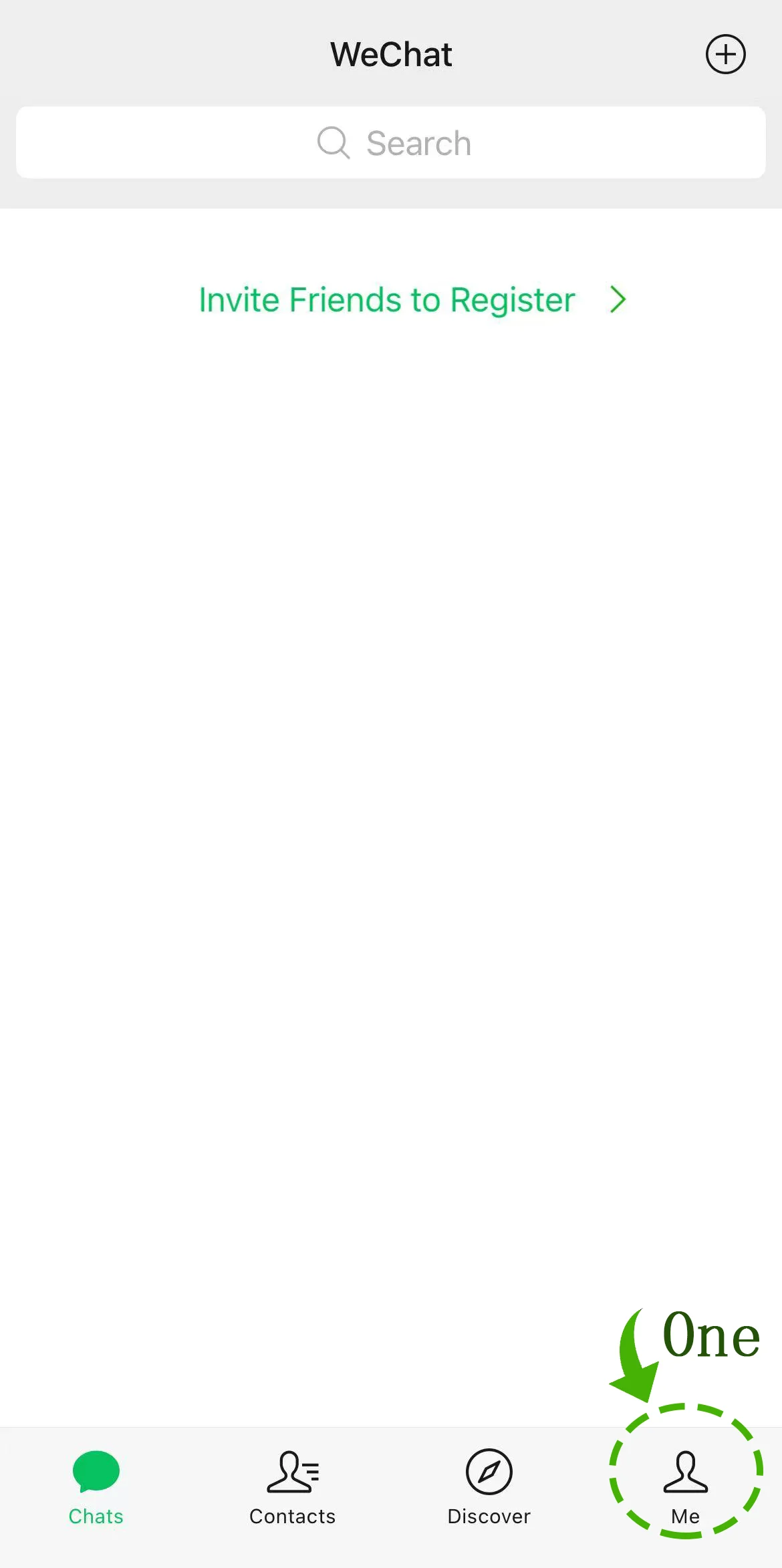
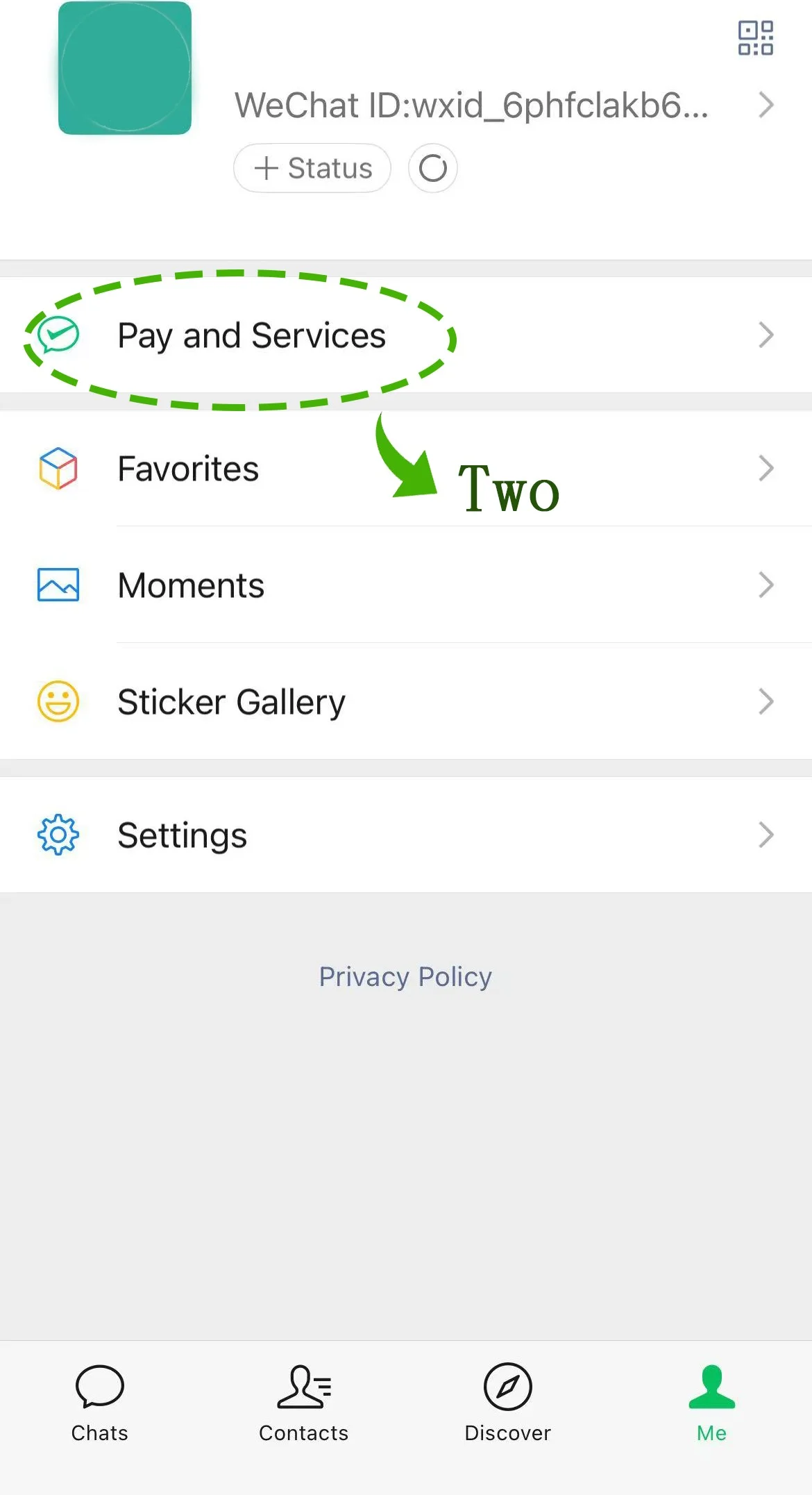
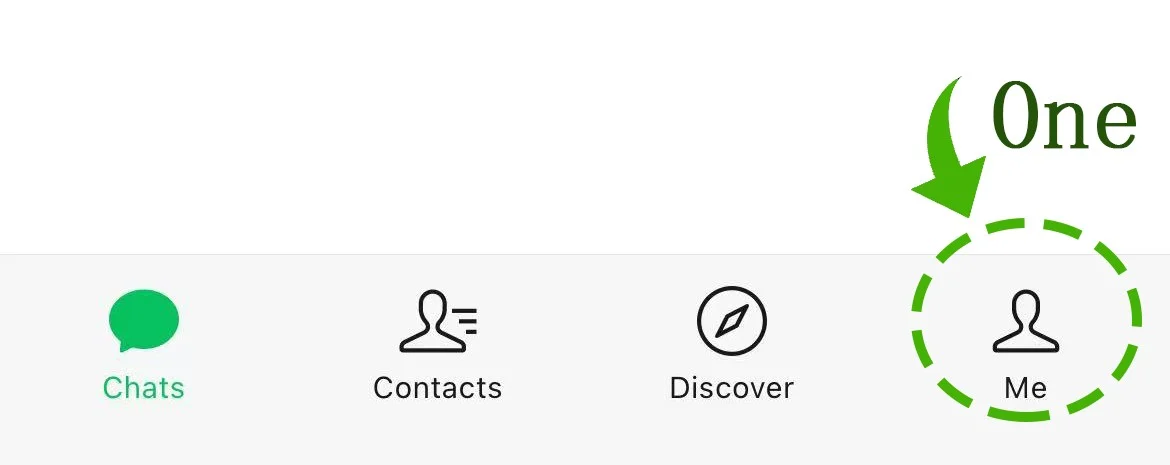
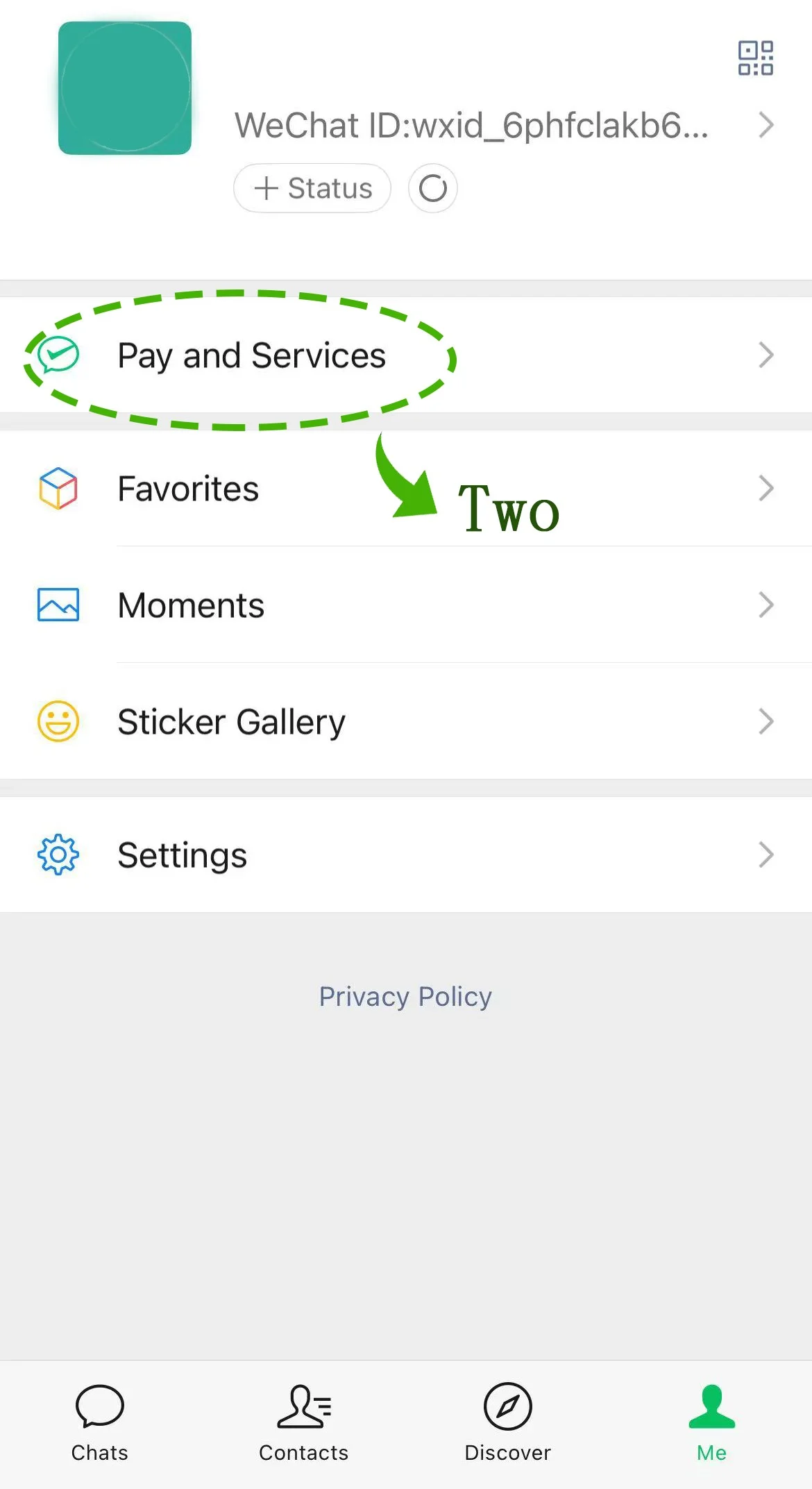
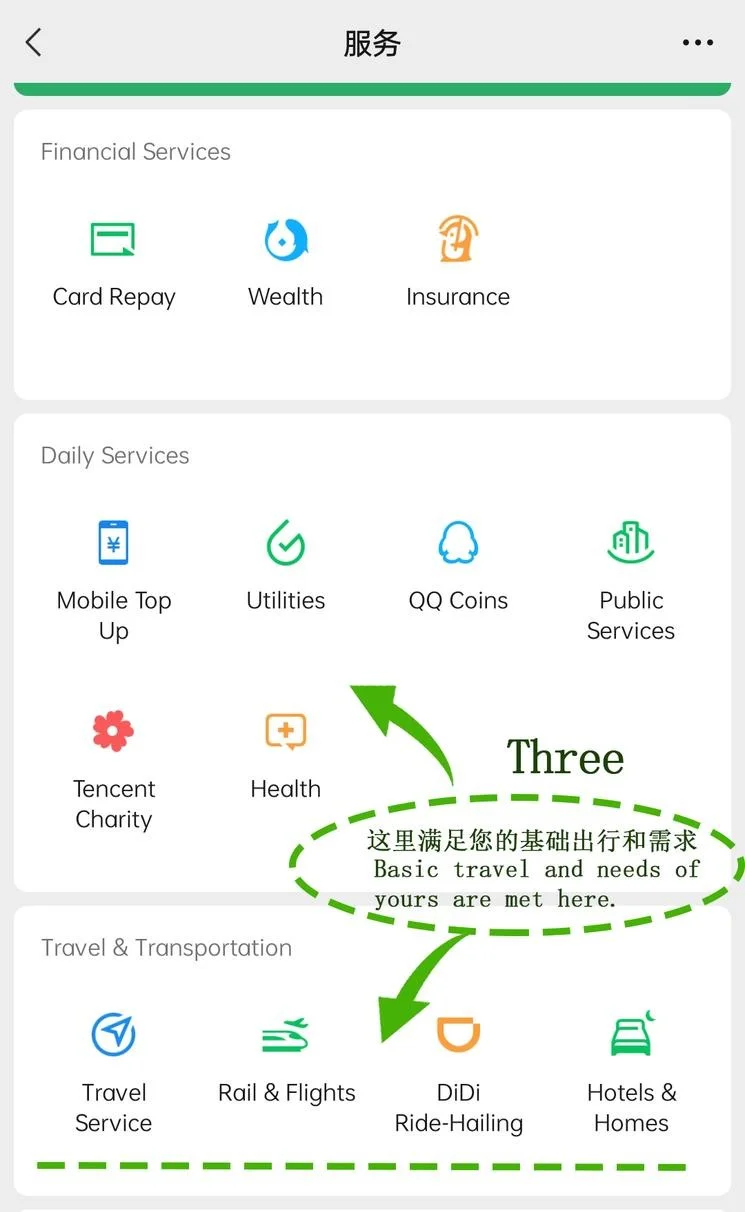
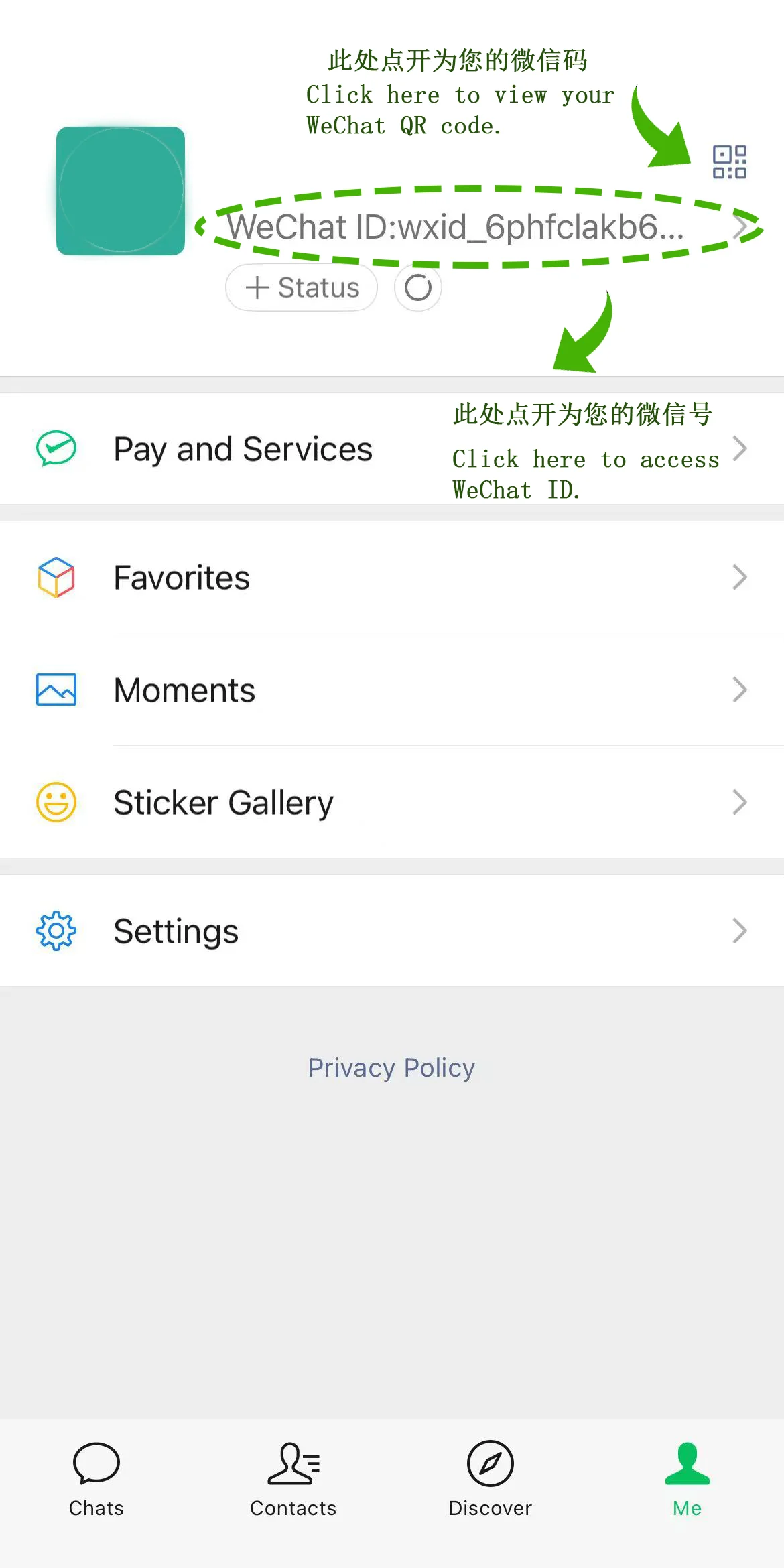
Click "Me" at the bottom > "Services"
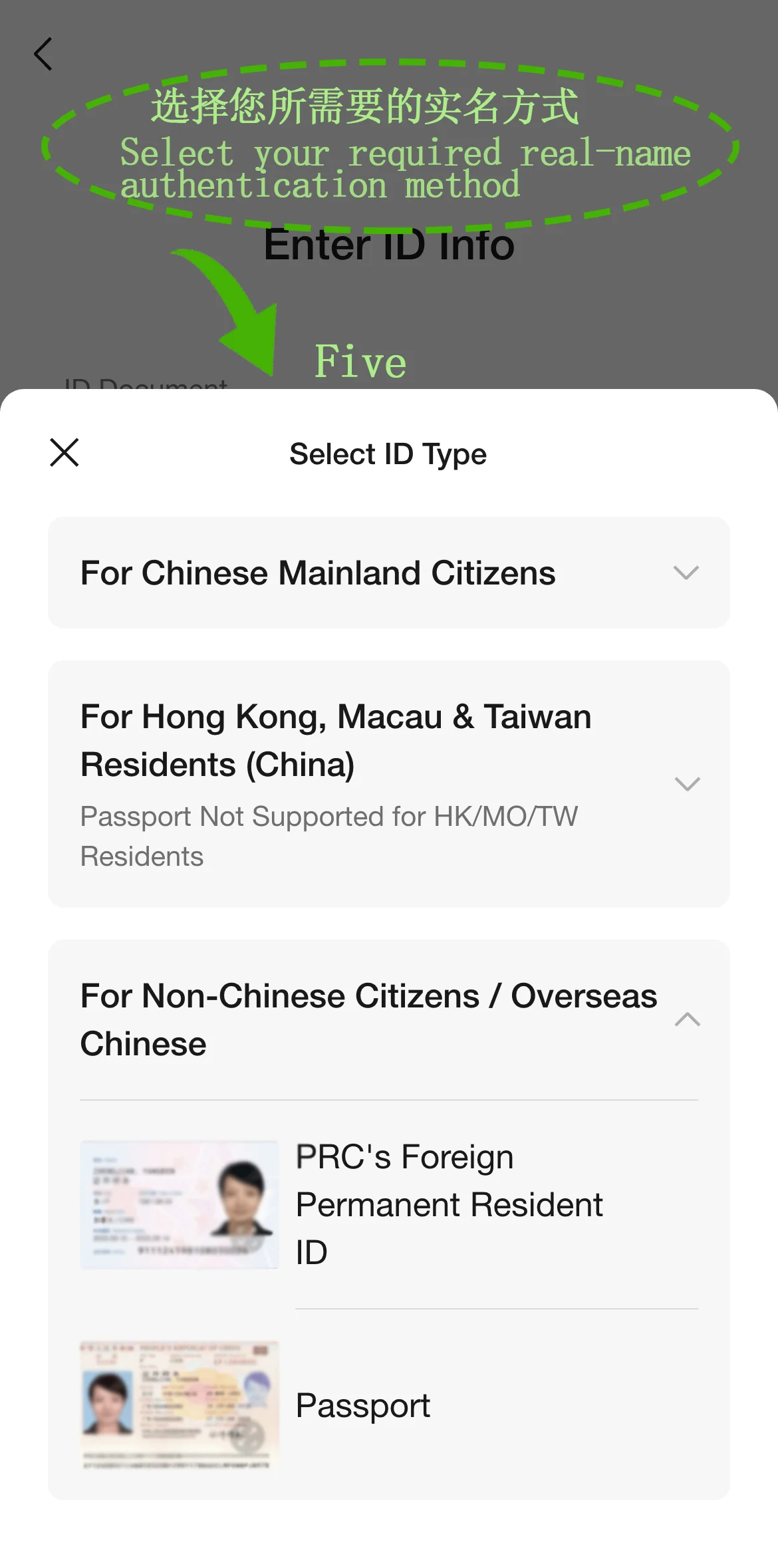
Select "Wallet" > "Identity Information"
Upload a photo of your passport for verification
Wait for system review (usually completed within a few minutes)
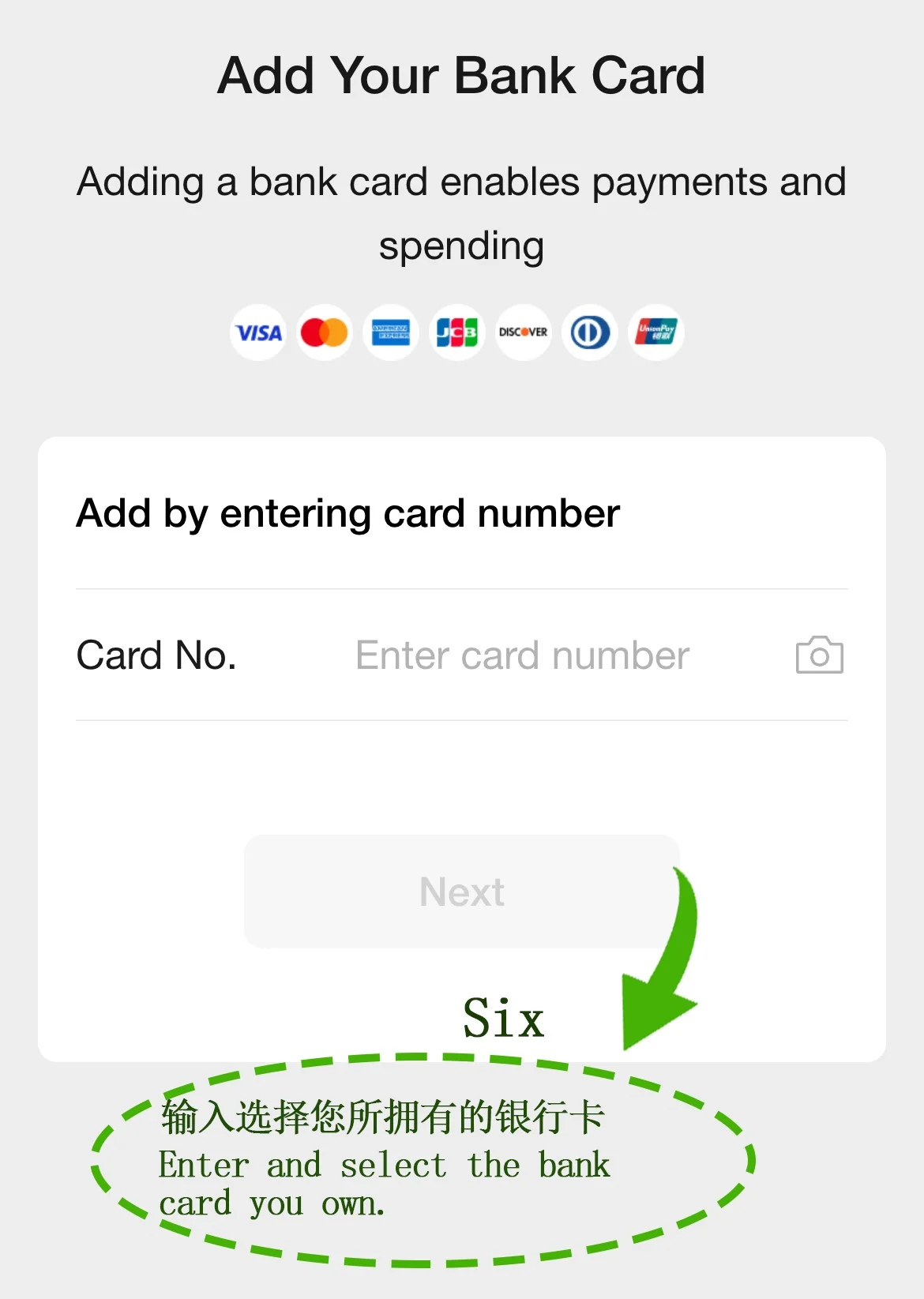
Add an international credit card (Visa/Mastercard, etc.)
Six Useful Travel Functions
1. Payment: Three Simple Steps
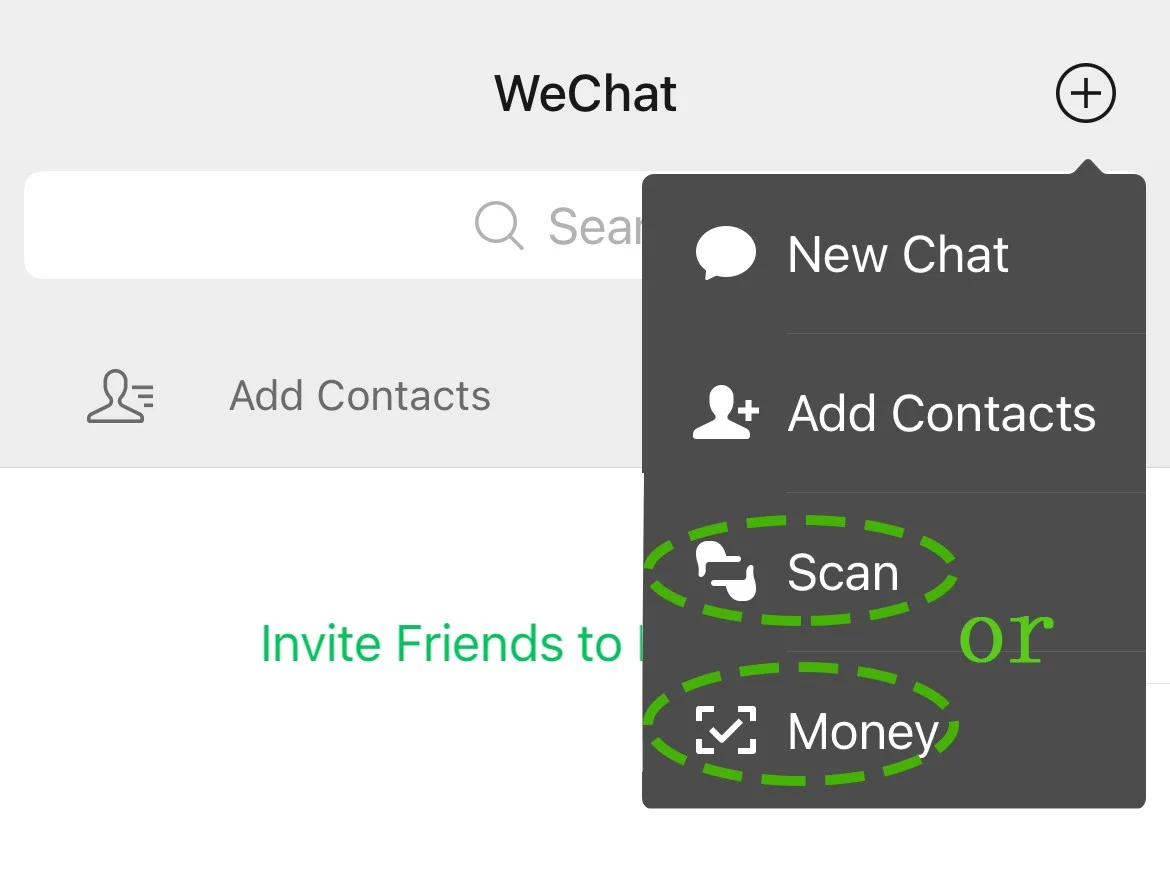
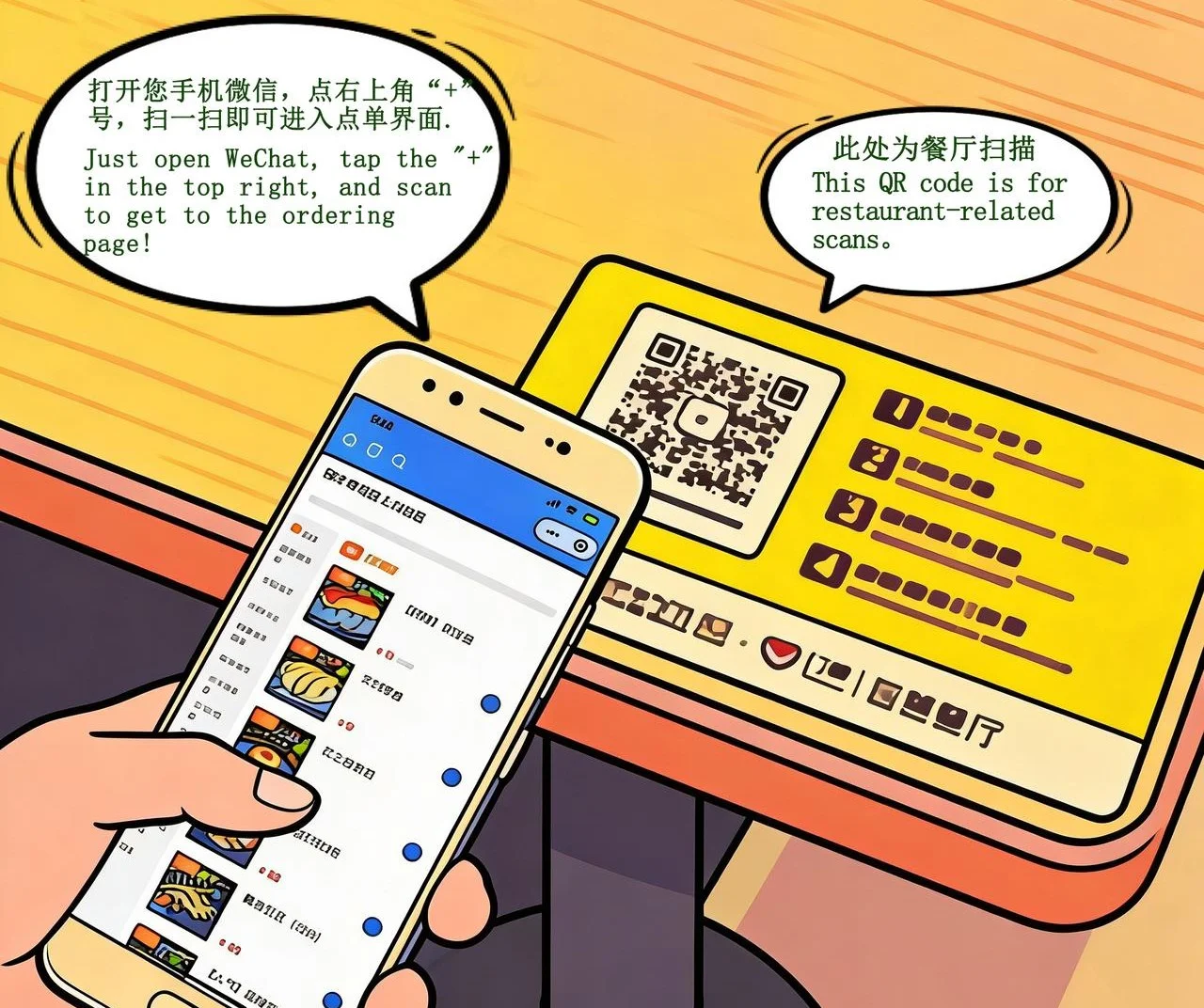
Open WeChat → Tap the "+" icon in the upper right corner → Select "Scan" or "Pay/Receive"
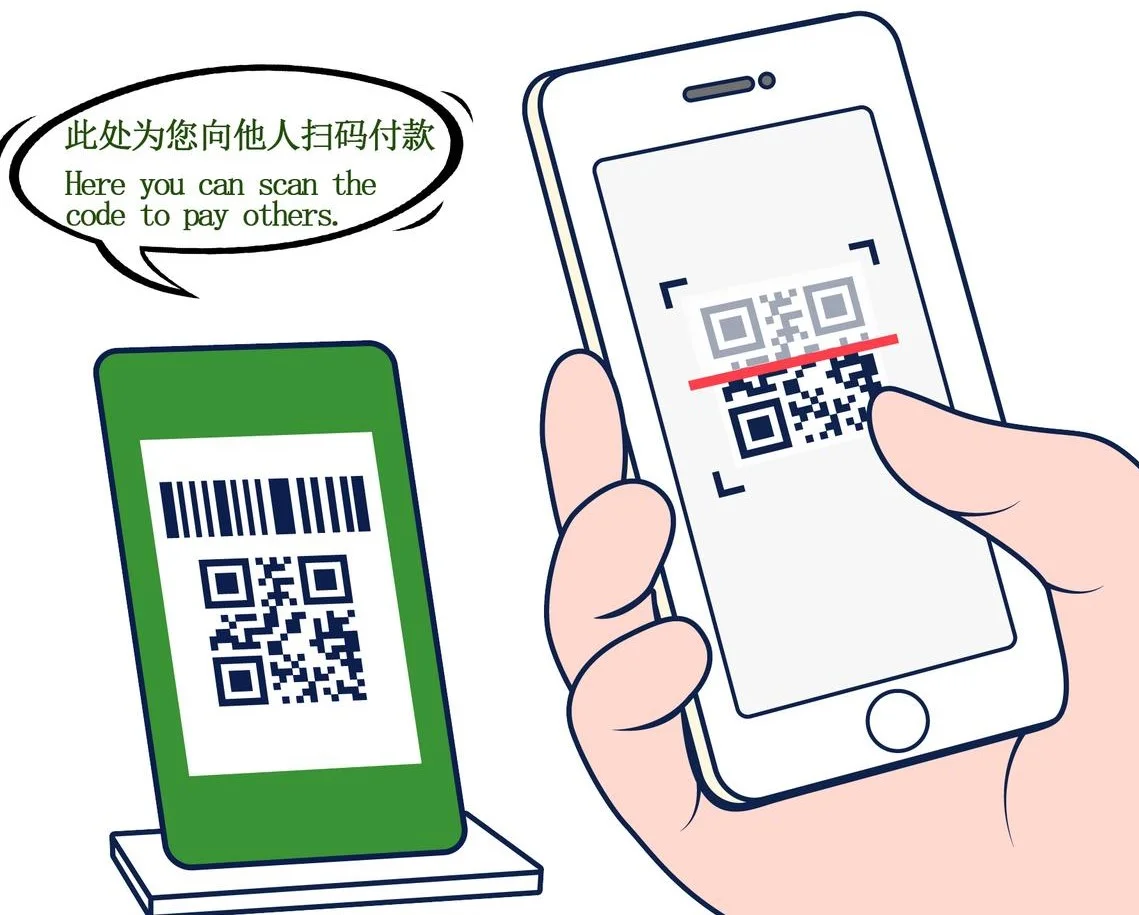
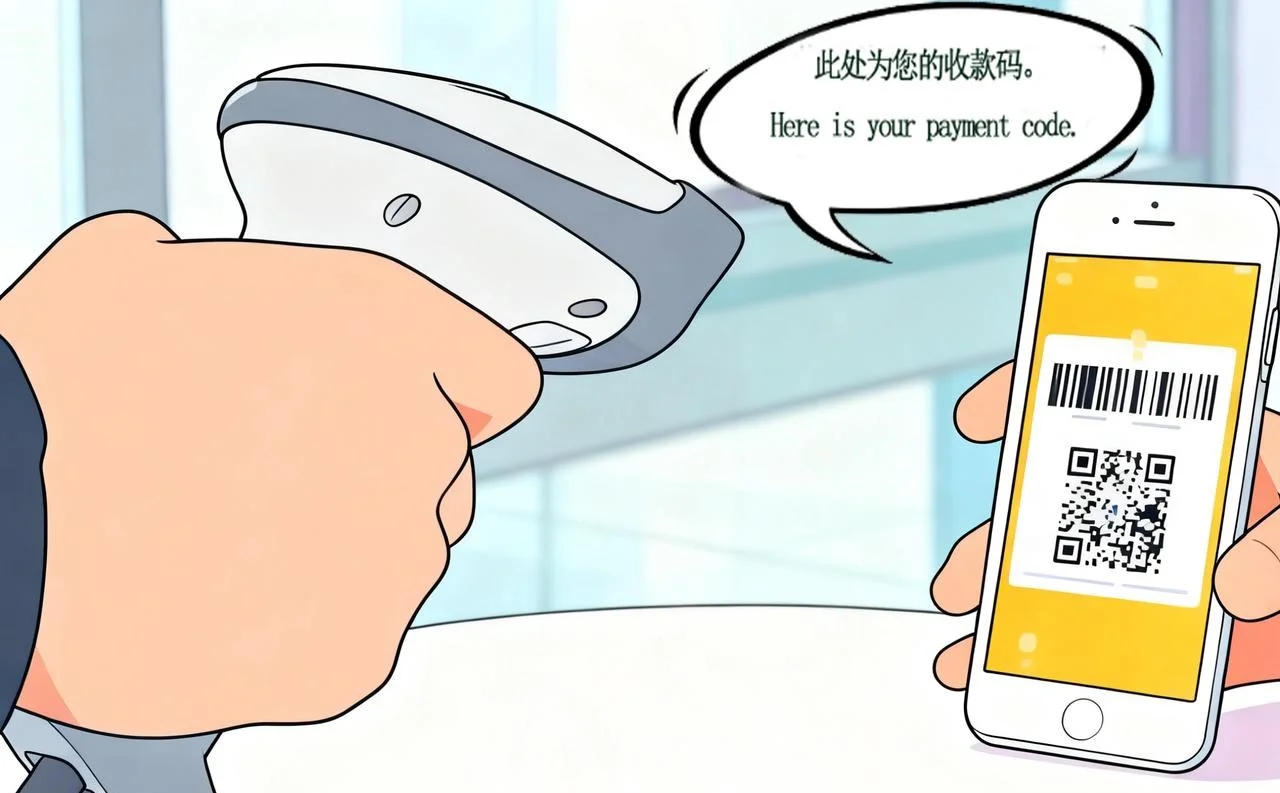
Scan the merchant's QR code or show your payment code (Select Payment/Receive → QR Code Payment, so friends can pay each other)
Enter the amount or complete the payment directly
2. Transportation: One Code for All
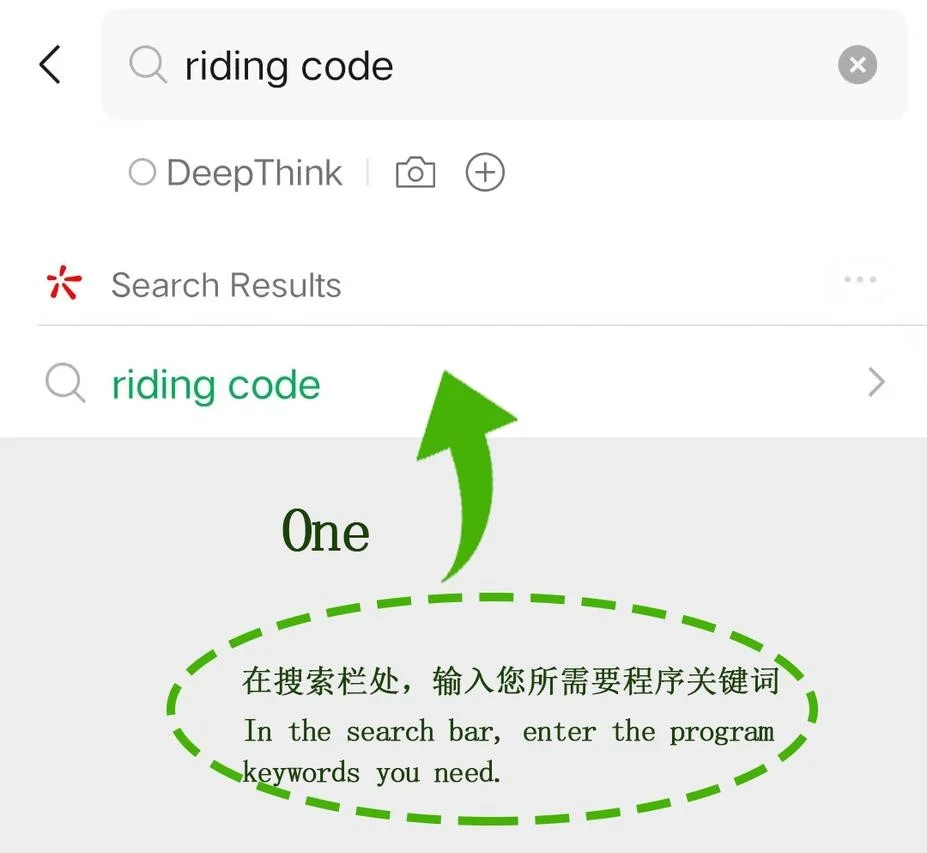
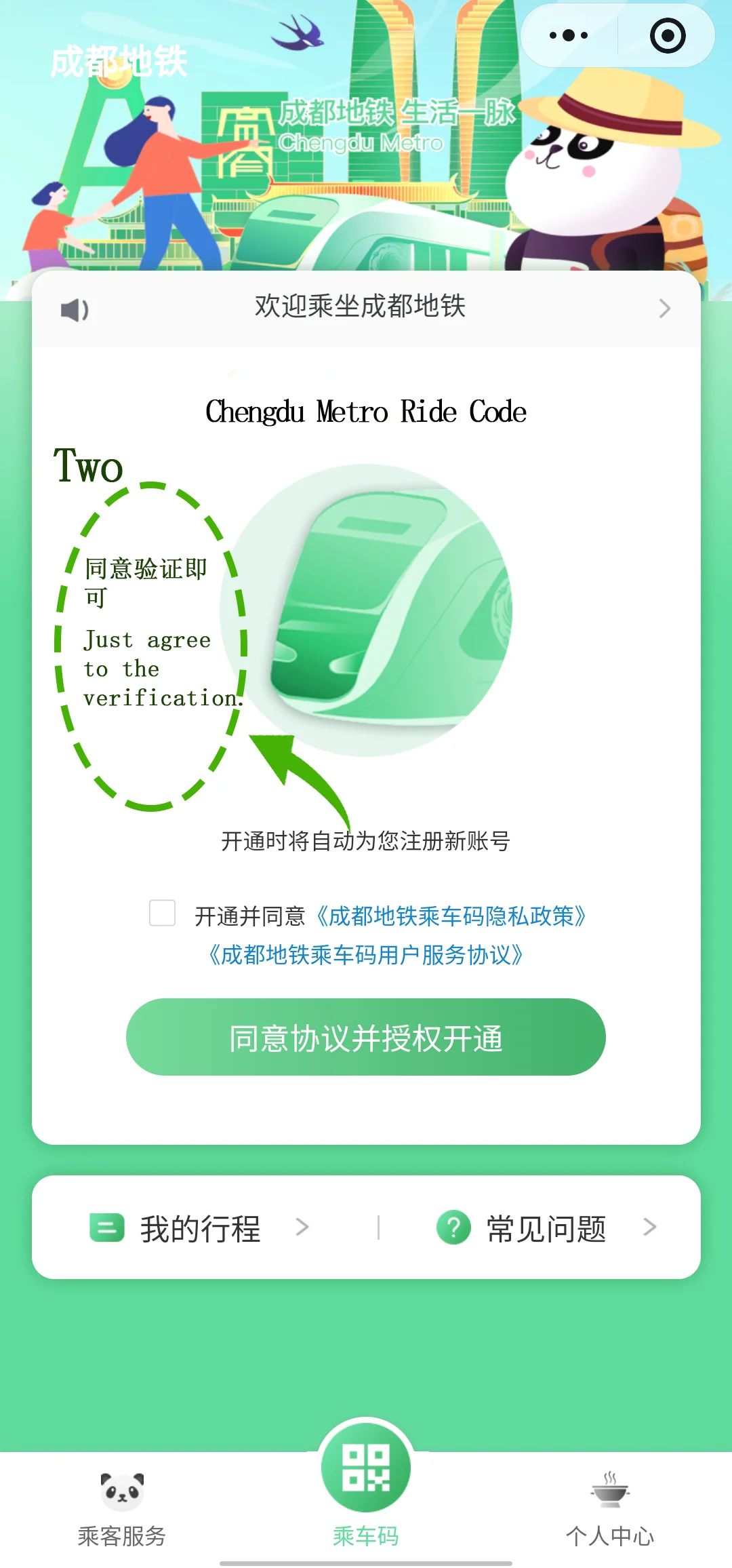
Search for your city's transportation mini-program in the search bar (e.g., "Beijing Subway Ride Code").
After authorization, you can use the QR code to ride the subway and buses.
Automatic payment, no need to queue for tickets.
If you need to hail a ride, you can go to "My" → "Services" → "Didi Chuxing" in the bottom right corner.
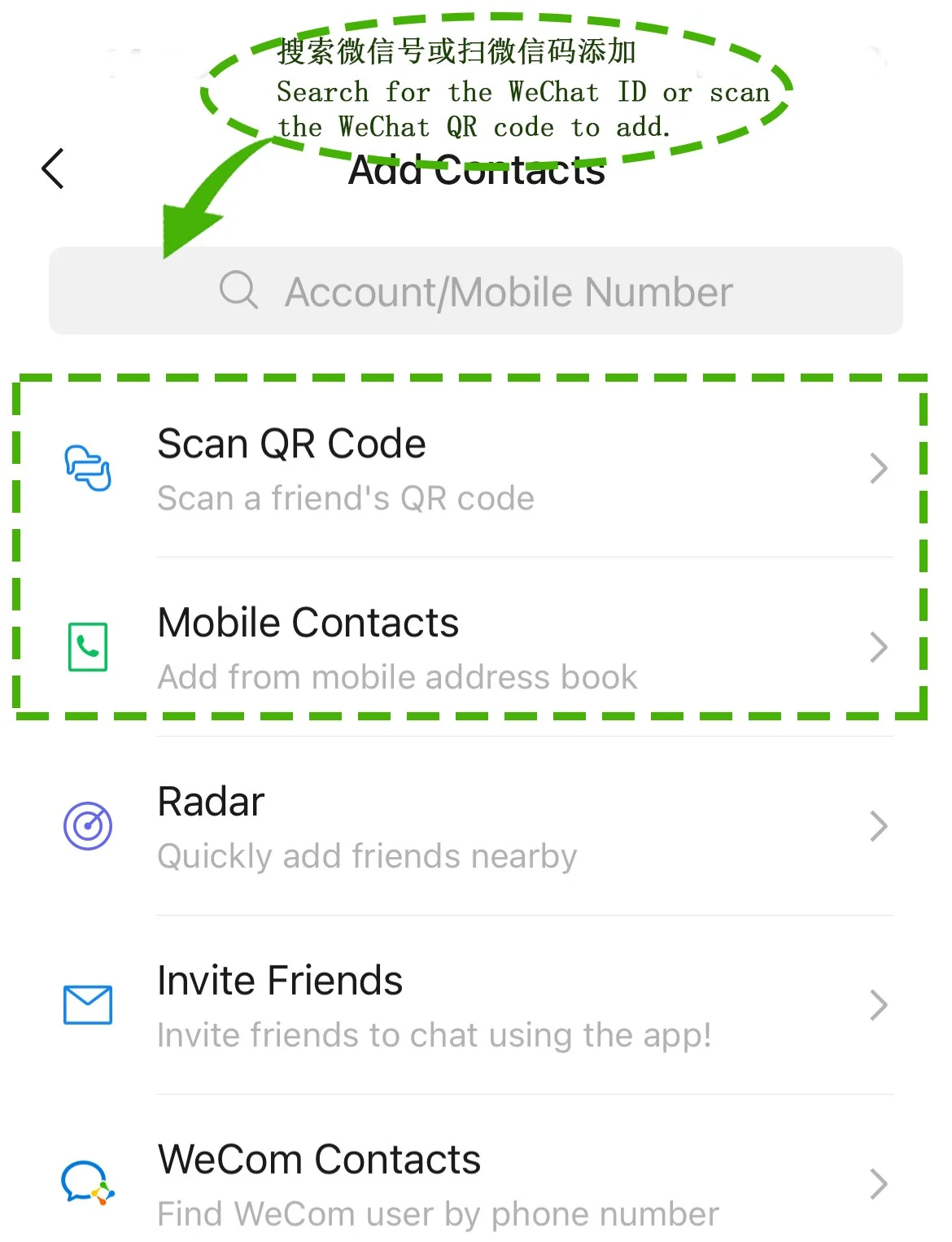
3. Friends: Add Friends
On the homepage, go to "WeChat" → "+" symbol → Add Friends → "Scan" or "Search" bar → Add your friend.
4. Tickets and Reservations
Most scenic spots and museums have official WeChat mini-programs. Simply search for keywords in the search bar.
(Note: Some official programs do not support passport-based ticket purchases.)
You can directly purchase tickets and reserve your visit time.
Use e-tickets to enter the park by scanning the QR code, avoiding queues.
5. Translation: Real-time Communication Assistant
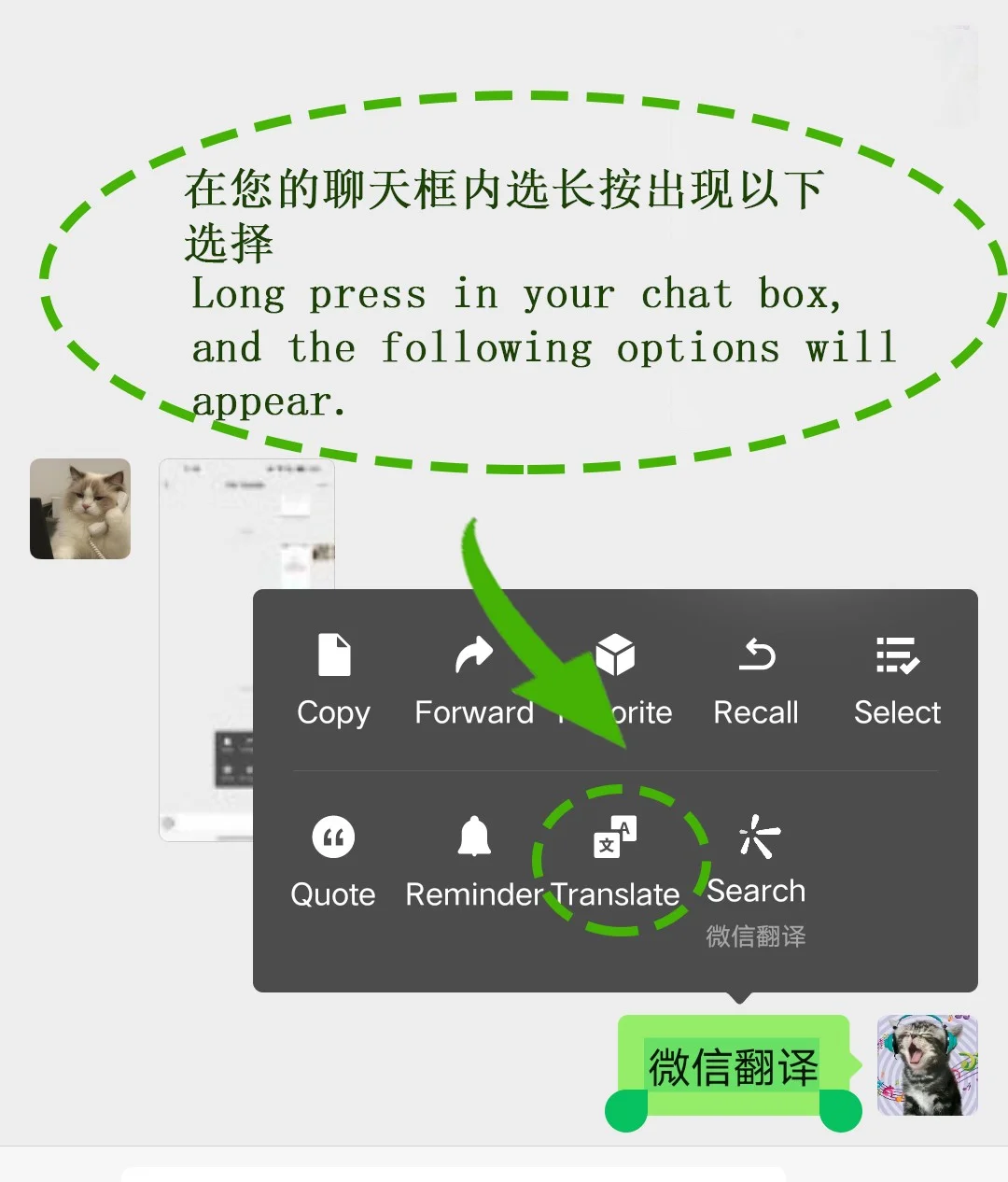
Long press on a foreign language message in a chat and select "Translate" (click on your chat history).
6. Dining: Smart Ordering
Order by scanning the QR code on the restaurant table (same as the "Payment" section in the tutorial)
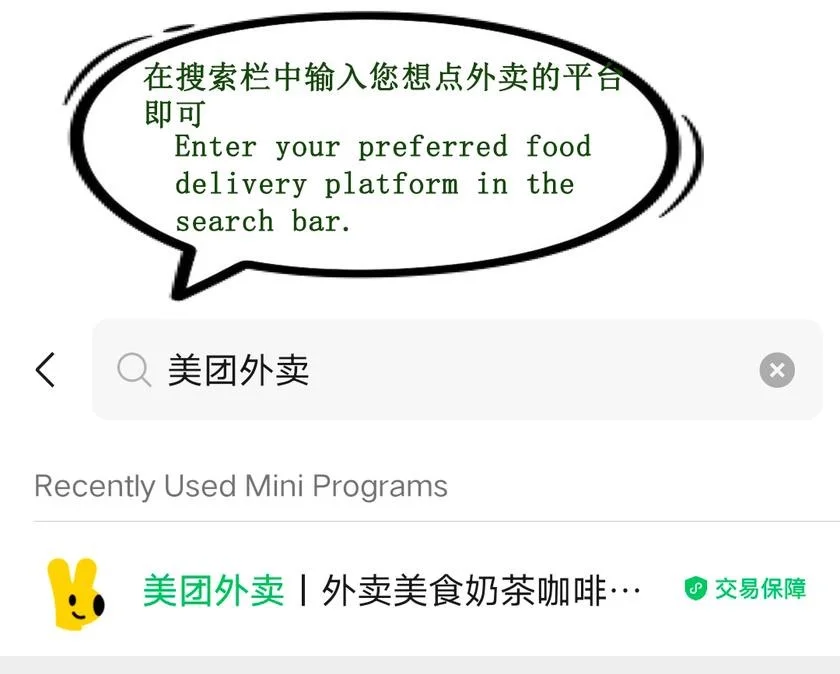
Order takeout via the "Meituan Waimai" mini-program (search in the search bar)
Important Security Tips
1. Set a payment password and enable fingerprint/facial recognition.
2. Do not send screenshots of your payment code to others.
3. Regularly check your login devices in "Me" > "Settings" > "Account and Security".
4. When using official mini-programs, be cautious when authorizing personal information.
WeChat Payment Mechanism
Transaction Fee Mechanism: Transactions under 200 RMB are free of charge; transactions exceeding this amount incur a 3% fee. (Transaction fees are refunded proportionally upon refund.)
Transaction Limits and Exchange Rates: Single transaction limit of 6,000 RMB, monthly cumulative limit of 50,000 RMB, and annual cumulative limit of 60,000 RMB. (Slight differences in payment costs may exist between different bank cards.)
Function Restrictions: Foreign cardholders cannot use social payment functions such as red envelopes and transfers, nor can they purchase wealth management products.
Begin Your WeChat Journey
Upon arriving in China, you might find that:
Hotel receptionists will ask for your WeChat ID for communication purposes.
Tour guides will post announcements via WeChat groups.
Restaurant servers will point to QR codes on tables.
Even street performers will display WeChat payment QR codes.
Disclaimer: This information is provided for reference only and was last updated on . Requirements and regulations may change. Always verify with official sources before making travel plans.